
Overview
Once a load is marked as Delivered, it must be released to billing before your accounting team can generate the invoice, review charges, and process payment. This step moves the load from dispatch to accounting. Synonyms: release to billing, release load, send to billing, release for invoicing, hand off to accounting.Before You Start
- The load must be in Delivered or TONU status.
- Every stop on the load must be complete. Alvys checks the load’s stops when you release it, and does not release the load while a stop is still open.
- You must have the “ReleaseLoads” permission. Ask your administrator if you do not see the Release option.
Steps
Method 1 — Release a single load
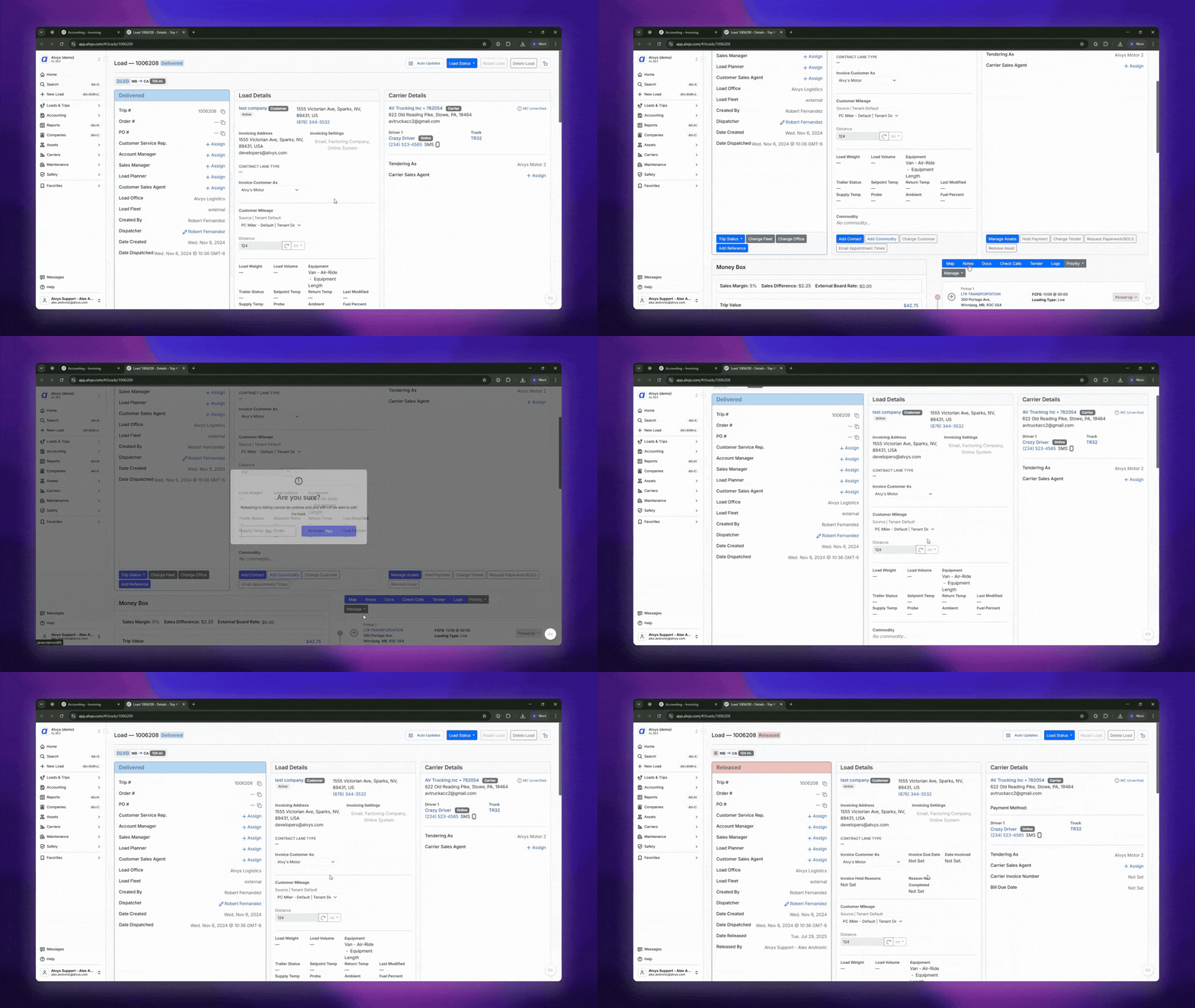
- Open the load.
- Click Manage (top-right of the load).
-
Select Release.
Method 2 — Release multiple loads at once
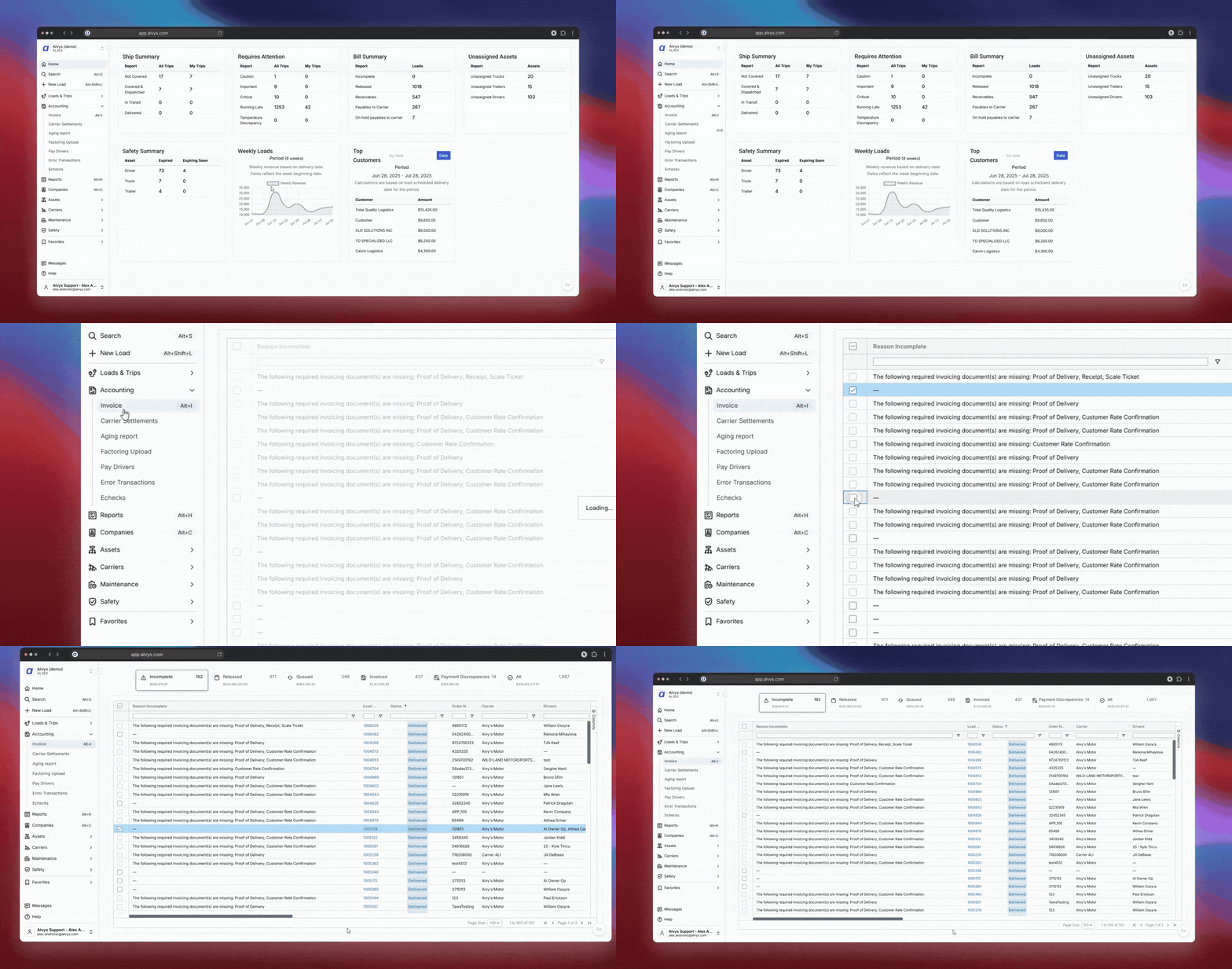
- Go to Invoicing in the left navigation.
- Click the Incomplete tab — this shows all Delivered loads not yet released.
- Select one or more loads.
- Move the selected loads to the Released tab.
Result
Released loads appear in the Released tab under Invoicing. Your accounting team can immediately review charges, attach documents, and generate the invoice.Troubleshooting
Release option is grayed out or missing
The load may not be in the correct status, or required fields may be incomplete. Confirm: (1) the load status is Delivered or TONU; (2) all required stops are marked complete; (3) all required documents are attached. Required documents are determined by the customer’s Document Requirements setting in their Invoicing Settings profile — check there to see which documents must be present before the load can be released.The release does not go through because a stop is still open
Alvys checks the load’s own stops before it releases the load. If a stop is still open, the load stays where it is and the release is reported back to you as unsuccessful rather than moving the load forward. Open the load, complete the remaining stop, then release the load again.Load is not showing in the Incomplete tab
Only Delivered loads appear here. Check the load status: if it is already released, it will appear in the Released tab instead.Release option is not visible
Your account does not have the “ReleaseLoads” permission. Ask your administrator to assign this permission to your account.FAQs
Q: Can I release a load that isn’t delivered yet? A: No. The load must be in Delivered status first. Q: Can I undo a release? A: Yes. Open the load, click Manage, and select Revert Status. The load returns to its previous status (Delivered or TONU). Reverting from Released also requires the “ReleaseLoads” permission. Q: Who can release loads to billing? A: Users with the “ReleaseLoads” permission. Ask your administrator to check your account settings if you cannot see the Release option.Go Deeper
- Billing Permissions — who can release and invoice loads
- Why Can’t I Release or Invoice a Load? — troubleshooting guide
- Understanding Load Statuses and How to Revert Them — if a load isn’t in Delivered status