> ## Documentation Index
> Fetch the complete documentation index at: https://docs.alvys.com/llms.txt
> Use this file to discover all available pages before exploring further.
# Email/ Submit Invoice fails:
> Fix the invoice email error "Unexpected character encountered while parsing value" caused by PDFs over the 10 MB limit by compressing and resending.
When submitting an invoice (also called billing or sending a bill) by email, the error "Unexpected character encountered while parsing value" means the invoice file exceeds the 10 MB limit; compress the file and resend.
## Symptom
When you submit an invoice through Batch Invoicing using email delivery, the following error appears: "Unexpected character encountered while parsing value." The invoice is not sent and the load remains in **Queued** or **Released** status.
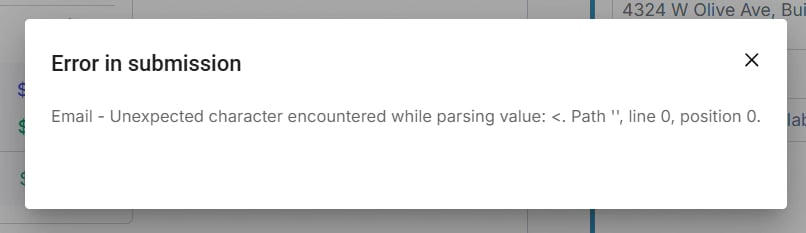 *Screenshot of the error message displayed during invoice submission*
## Cause
The invoice PDF exceeds the 10 MB file size limit enforced during email submission. A file over this limit causes the email parsing process to fail before the invoice is delivered to the customer.
## Resolution
1. Check the invoice file size. Open the invoice PDF from the load and confirm whether it exceeds 10 MB. If the file is under 10 MB and the error still appears, go to "If That Didn't Work" below.
2. Compress the invoice file. Use a PDF compression tool to reduce the file below 10 MB. Verify the compressed file is still legible before proceeding.
3. Resend the invoice. Return to Batch Invoicing, locate the load, attach or regenerate the compressed invoice document, and resubmit using Create & Send or Send Invoice.
*Screenshot of the error message displayed during invoice submission*
## Cause
The invoice PDF exceeds the 10 MB file size limit enforced during email submission. A file over this limit causes the email parsing process to fail before the invoice is delivered to the customer.
## Resolution
1. Check the invoice file size. Open the invoice PDF from the load and confirm whether it exceeds 10 MB. If the file is under 10 MB and the error still appears, go to "If That Didn't Work" below.
2. Compress the invoice file. Use a PDF compression tool to reduce the file below 10 MB. Verify the compressed file is still legible before proceeding.
3. Resend the invoice. Return to Batch Invoicing, locate the load, attach or regenerate the compressed invoice document, and resubmit using Create & Send or Send Invoice.
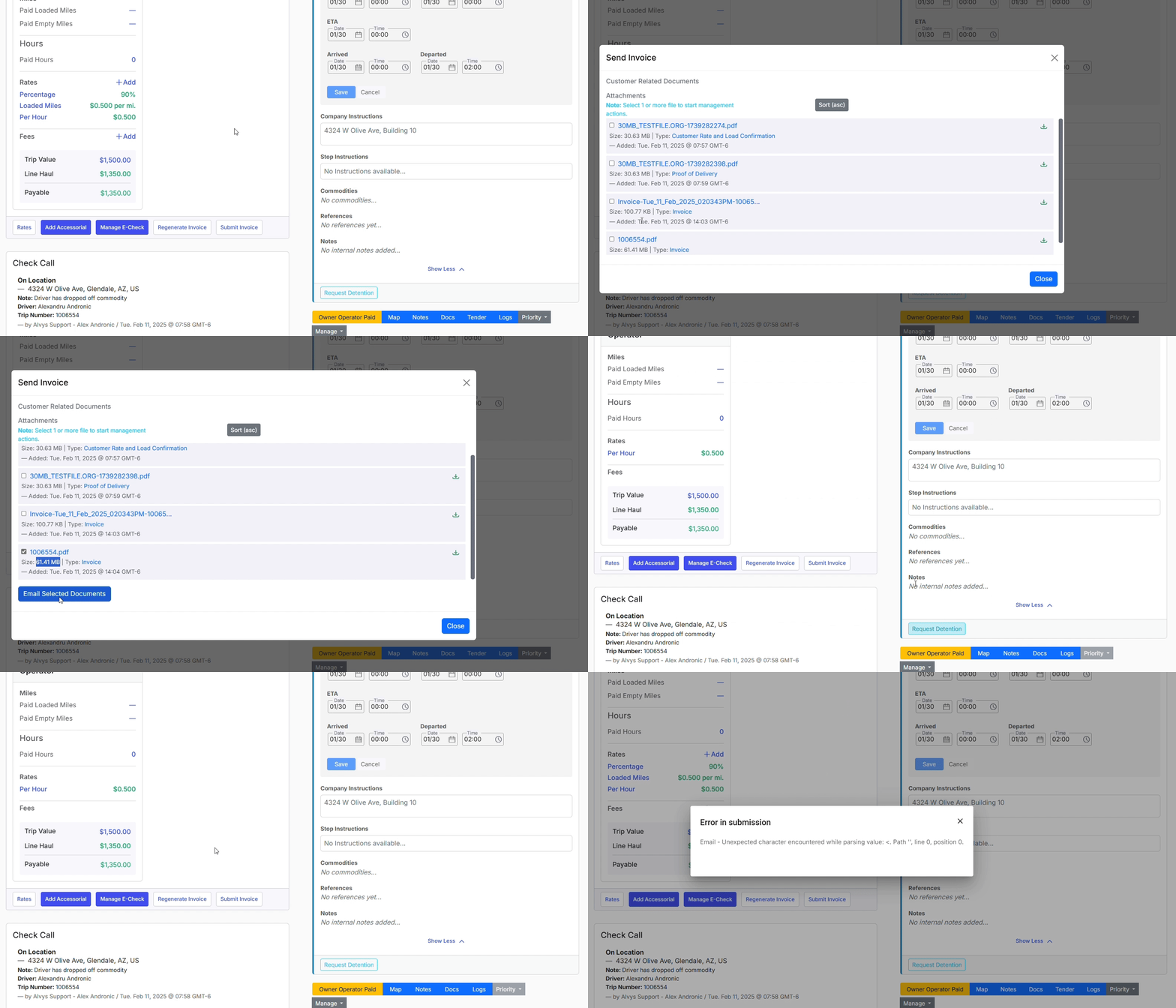 *GIF showing the step of resubmitting a compressed invoice from the Queued tab*
## Troubleshooting
### The file is under 10 MB but the error persists
Verify the invoice document is a valid, uncorrupted PDF. If the problem continues, contact Alvys support with the load number, the full error message text, and the file size.
## FAQs
**Q: What file size limit applies to invoices sent by email?**
**A:** The invoice file must be under 10 MB. Files at or above this limit cause the email submission to fail with the parsing error.
**Q: Why does the error mention "parsing" instead of file size?**
**A:** The oversized file disrupts the email parsing process before delivery, so the system surfaces a parsing error rather than an explicit size message. The underlying cause is the file exceeding 10 MB.
## Related
* [Batch Invoicing](/help/accounting-settlements/batch-invoicing)
*GIF showing the step of resubmitting a compressed invoice from the Queued tab*
## Troubleshooting
### The file is under 10 MB but the error persists
Verify the invoice document is a valid, uncorrupted PDF. If the problem continues, contact Alvys support with the load number, the full error message text, and the file size.
## FAQs
**Q: What file size limit applies to invoices sent by email?**
**A:** The invoice file must be under 10 MB. Files at or above this limit cause the email submission to fail with the parsing error.
**Q: Why does the error mention "parsing" instead of file size?**
**A:** The oversized file disrupts the email parsing process before delivery, so the system surfaces a parsing error rather than an explicit size message. The underlying cause is the file exceeding 10 MB.
## Related
* [Batch Invoicing](/help/accounting-settlements/batch-invoicing)