> ## Documentation Index
> Fetch the complete documentation index at: https://docs.alvys.com/llms.txt
> Use this file to discover all available pages before exploring further.
# Loads stay under company driver after status change
> Fix loads that stay under the wrong Pay Drivers tab after a company driver becomes an owner operator (or vice versa) by reassigning the driver.
When a driver's status changes from Company Driver to Owner Operator (or the reverse), existing loads do not automatically move to the new driver type tab in Pay Drivers. Reassigning the driver to the load resolves this.
## Symptom
After changing a driver's status from **Company Driver** to **Owner Operator** (or the reverse), their previously assigned loads still appear under the original driver type tab in the Pay Drivers module. The loads do not move to the new tab automatically.
## Cause
When a driver is assigned to a load, Alvys records the driver's type at the time of assignment. This record is stored as a snapshot on the load and is not updated retroactively when the driver's status changes later. Existing loads remain categorized under the driver type that was active at the time they were assigned.
## Resolution
1. Open the load that is appearing under the wrong driver type tab.
2. Reassign the driver. Click Manage Assets.
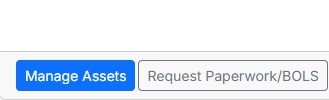 *Image showing “**Manage Asset**s” button in **Carrier Details section on load details page.***
1. Confirm the update.
* The load now reflects the driver's current status and moves to the correct tab in Pay Drivers.
## If That Didn't Work
### A settlement statement has already been processed for this load
If a settlement statement has already been processed, the assignment cannot be updated until the statement is reverted. Open the **Pay Drivers** module, locate the statement for that load, and click **Revert this statement back to draft**. Then repeat the reassignment steps above.
If you have completed all the steps above and the load still does not appear under the correct tab, contact Alvys support.
*Image showing “**Manage Asset**s” button in **Carrier Details section on load details page.***
1. Confirm the update.
* The load now reflects the driver's current status and moves to the correct tab in Pay Drivers.
## If That Didn't Work
### A settlement statement has already been processed for this load
If a settlement statement has already been processed, the assignment cannot be updated until the statement is reverted. Open the **Pay Drivers** module, locate the statement for that load, and click **Revert this statement back to draft**. Then repeat the reassignment steps above.
If you have completed all the steps above and the load still does not appear under the correct tab, contact Alvys support.