> ## Documentation Index
> Fetch the complete documentation index at: https://docs.alvys.com/llms.txt
> Use this file to discover all available pages before exploring further.
# December 2025 Releases
> Assignment Preferences replaces Dispatch Preferences in December 2025, adding time-based tracking and trailer type filtering for faster load planning.
December 2025 brought a rename and expansion of Dispatch Preferences into Assignment Preferences, adding time-based tracking and trailer type filtering so you can plan loads faster with more accurate fleet management.
## Overview
This release note covers the December 2025 update to assignment planning in Alvys (December release notes, What's New for December 2025), centered on the new Assignment Preferences experience.
## What shipped in December 2025?
### Assignment Preferences replaces Dispatch Preferences with new planning capabilities
Released December 9th, 2025.
**Dispatch Preferences** has been renamed to **Assignment Preferences**. The feature now includes time-based tracking and trailer type filtering to help you plan loads faster and manage your fleet more accurately.
**What changed:**
You can see which assets are active and available, so you can view which driver and truck combinations are live and plan assignments into the future.
You can handle upcoming asset changes by using start and end dates to preassign trucks and manage driver swaps early.
You can match loads to the right trailer type by filtering trucks by type, which reduces mismatches and improves accuracy.
This applies to all users who plan and assign loads.
\*\*To learn more, open the Assignment Preferences help article at \*\*[How to set up Assignment Preferences for drivers](/help/assets-fleet/how-to-set-up-assignment-preferences-for-drivers)
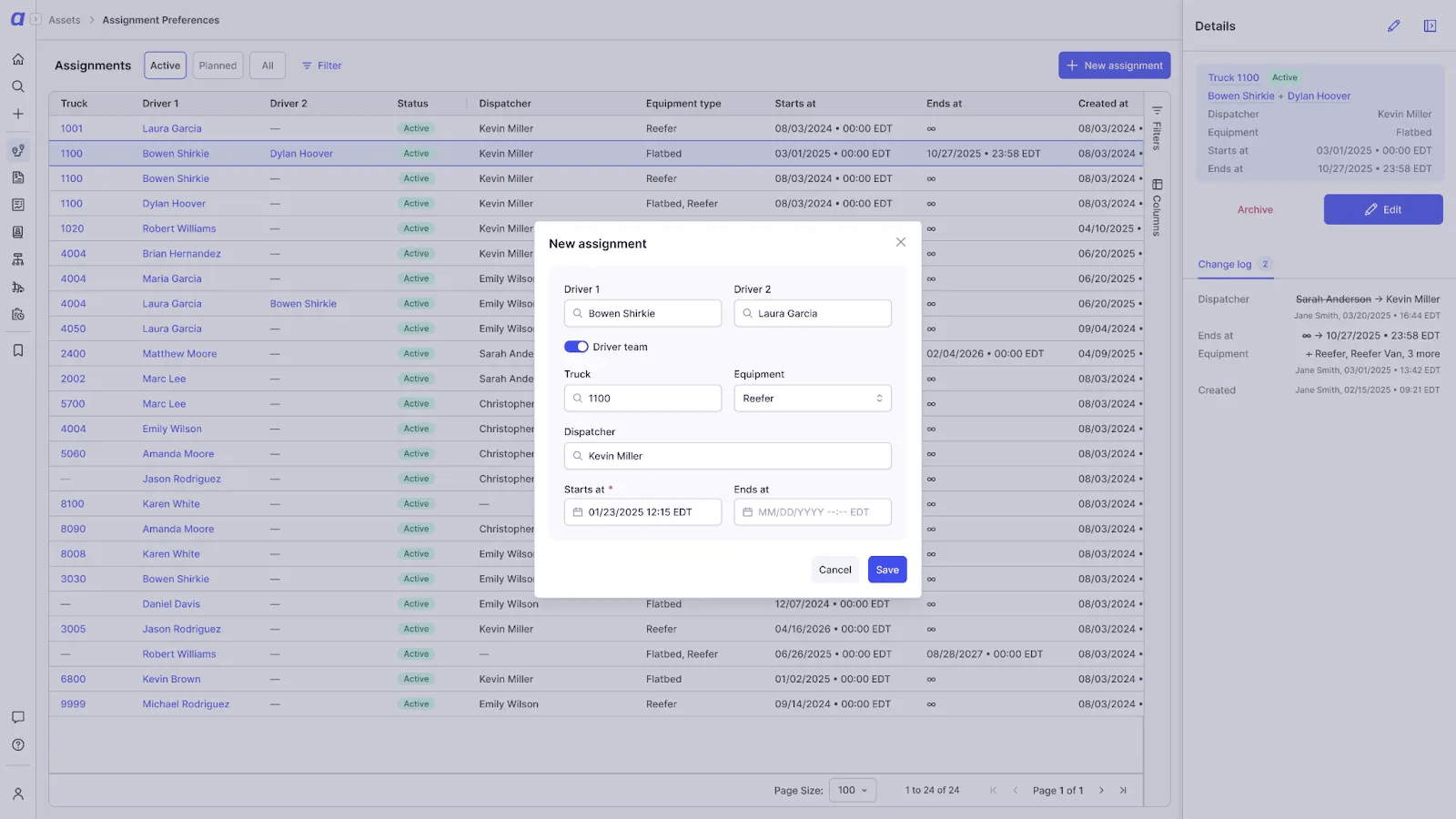 *Assignment Preferences screen showing driver-truck combinations and trailer type filtering*
## Go Deeper
[Assignment Preferences](/help/assets-fleet/how-to-set-up-assignment-preferences-for-drivers)
*Assignment Preferences screen showing driver-truck combinations and trailer type filtering*
## Go Deeper
[Assignment Preferences](/help/assets-fleet/how-to-set-up-assignment-preferences-for-drivers)