Accessorial EDI mapping ensures that extra charges on loads are correctly identified in EDI files: each trading partner requires their own unique trading codes and vendor descriptions before the mapping is active.
Overview
Accessorial mapping for EDI (Electronic Data Interchange) configures how extra shipping charges, also called surcharges or add-on fees, appear in EDI files exchanged with trading partners. Without correct mapping, accessorial charges may fail validation or be misrouted during EDI transactions. Each trading partner requires their own partner trading code and exact vendor description before the mapping is active.Before You Start
You must have Admin or Partner Admin access to reach the EDI & Visibility settings. To map accessorial types, partner trading codes and exact vendor descriptions are required to ensure smooth and accurate communication between trading partners. Here’s why:- Partner Trading Codes: These are unique identifiers assigned to each trading partner. They help the system recognize where the data is coming from and ensure it is routed to the correct partner. Without these codes, transactions may fail or be misdirected.
- Exact Vendor Descriptions: These provide precise details about the items or services being exchanged. They ensure that both partners interpret the data the same way, avoiding confusion or errors in orders, shipments, or billing.
Steps
Open EDI & Visibility settings Navigate to Settings > EDI & Visibility. Select the EDI partner Locate the partner you want to configure and click to open their settings panel. Scroll to Accessorial Mapping Scroll down within the partner settings panel to find the Accessorial Mapping section.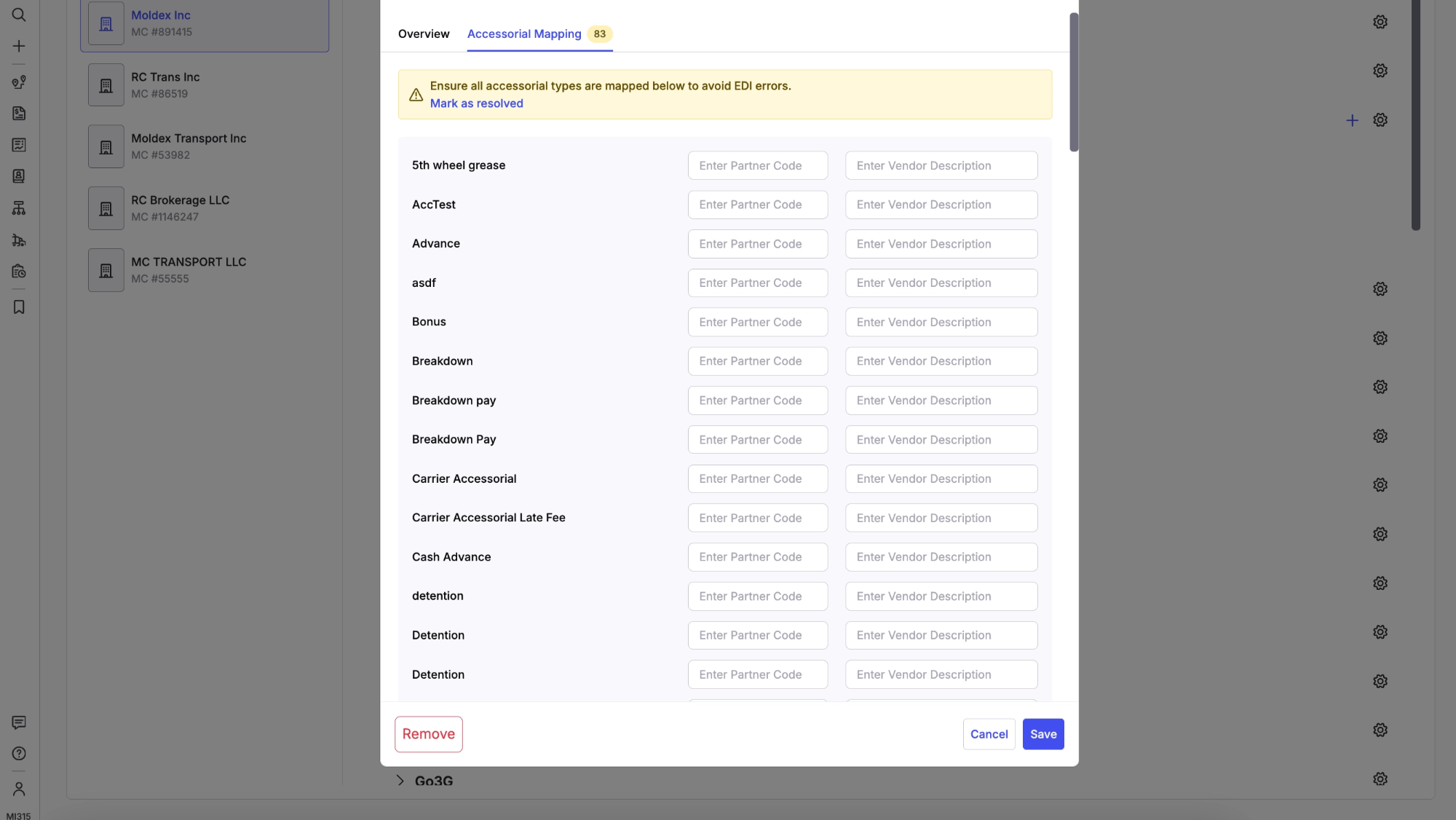
- Partner Trading Code: the unique identifier your trading partner uses for this accessorial type
- Exact Vendor Description: the precise description text your trading partner expects for this charge