Overview
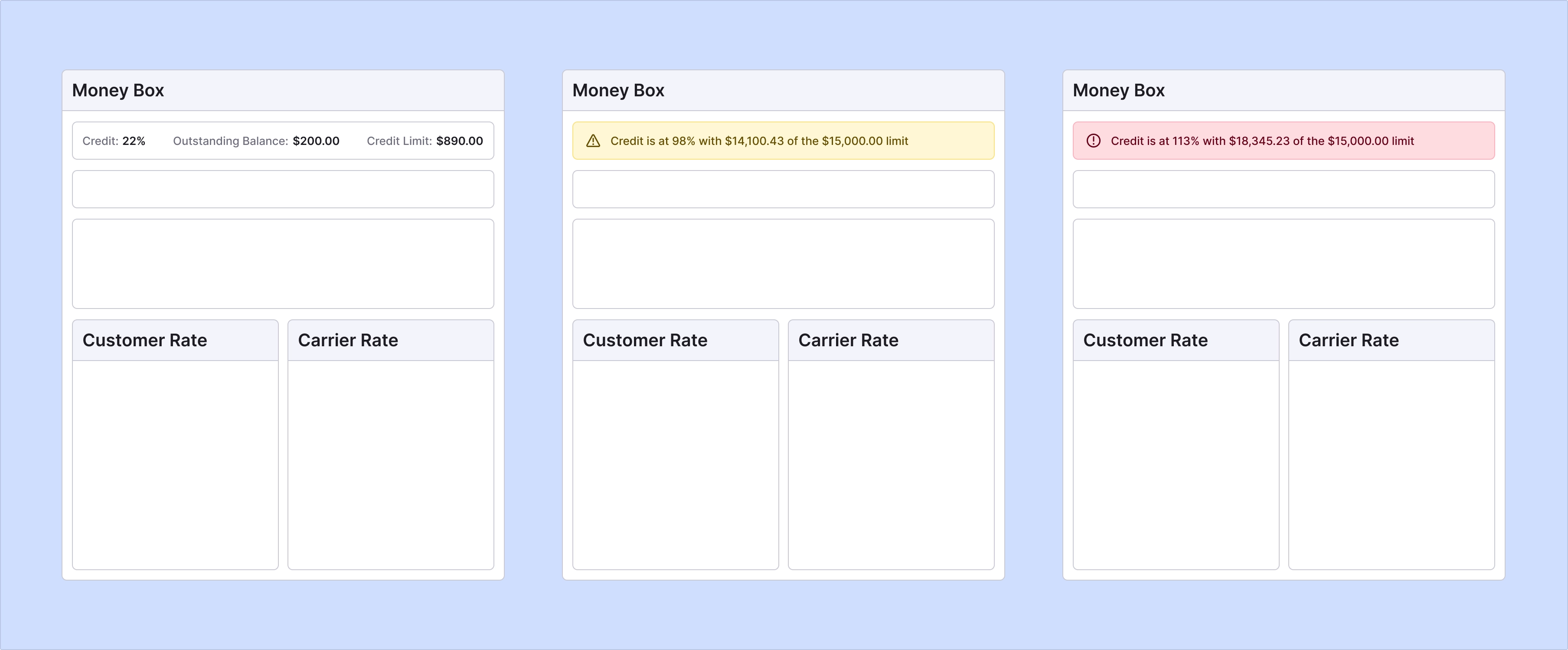
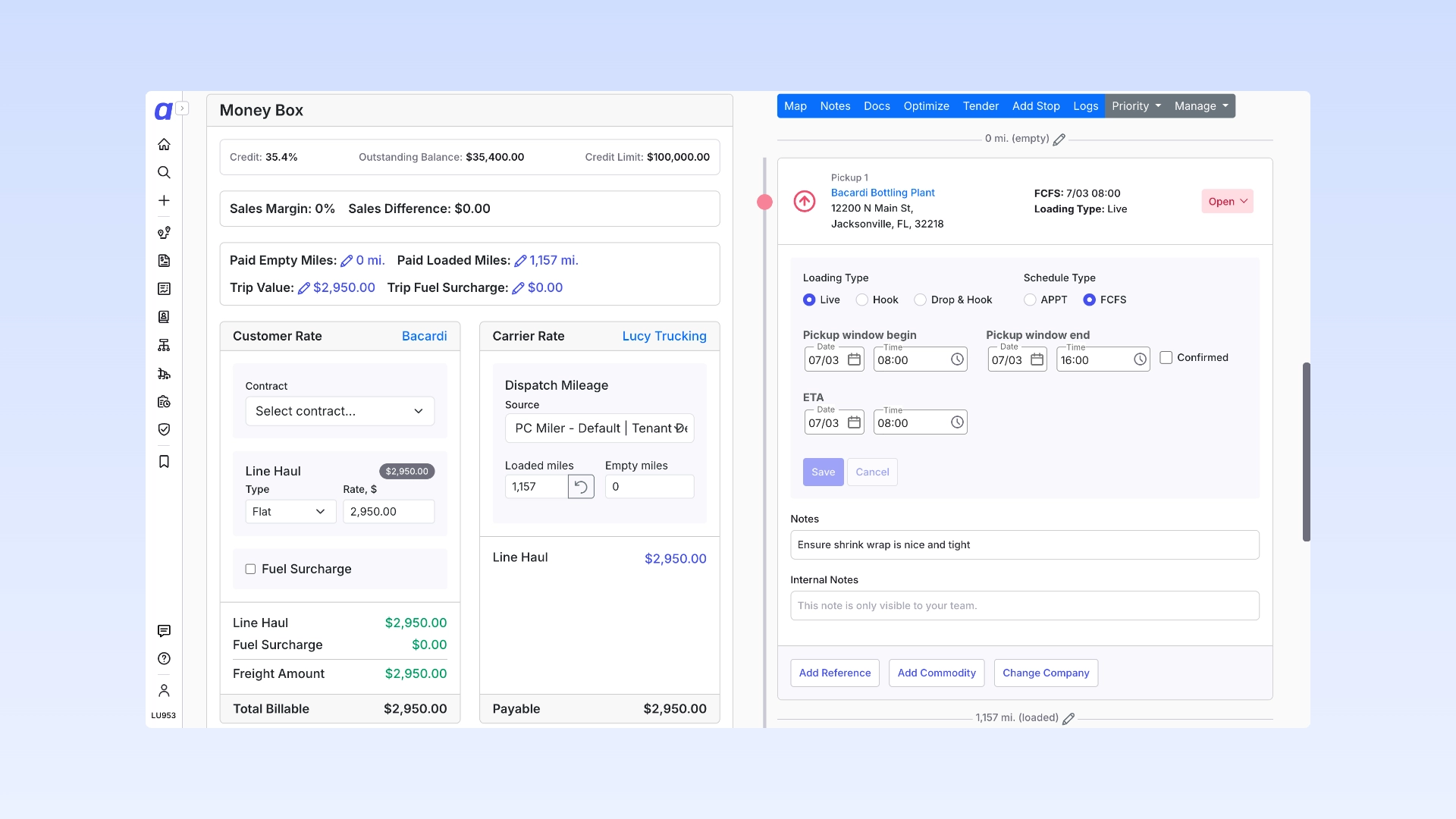
Customer Credit Limits give you passive awareness of a customer’s credit standing right where you work. You can set an optional credit limit on any customer, and Alvys shows their current outstanding balance — both on the customer profile and directly on the Load Details Page — so dispatchers and account managers can see credit exposure at the moment it matters most. This is a visibility feature. Alvys does not block, warn, or require approvals based on the limit; it simply surfaces the information so your team can make informed decisions.Required permissions
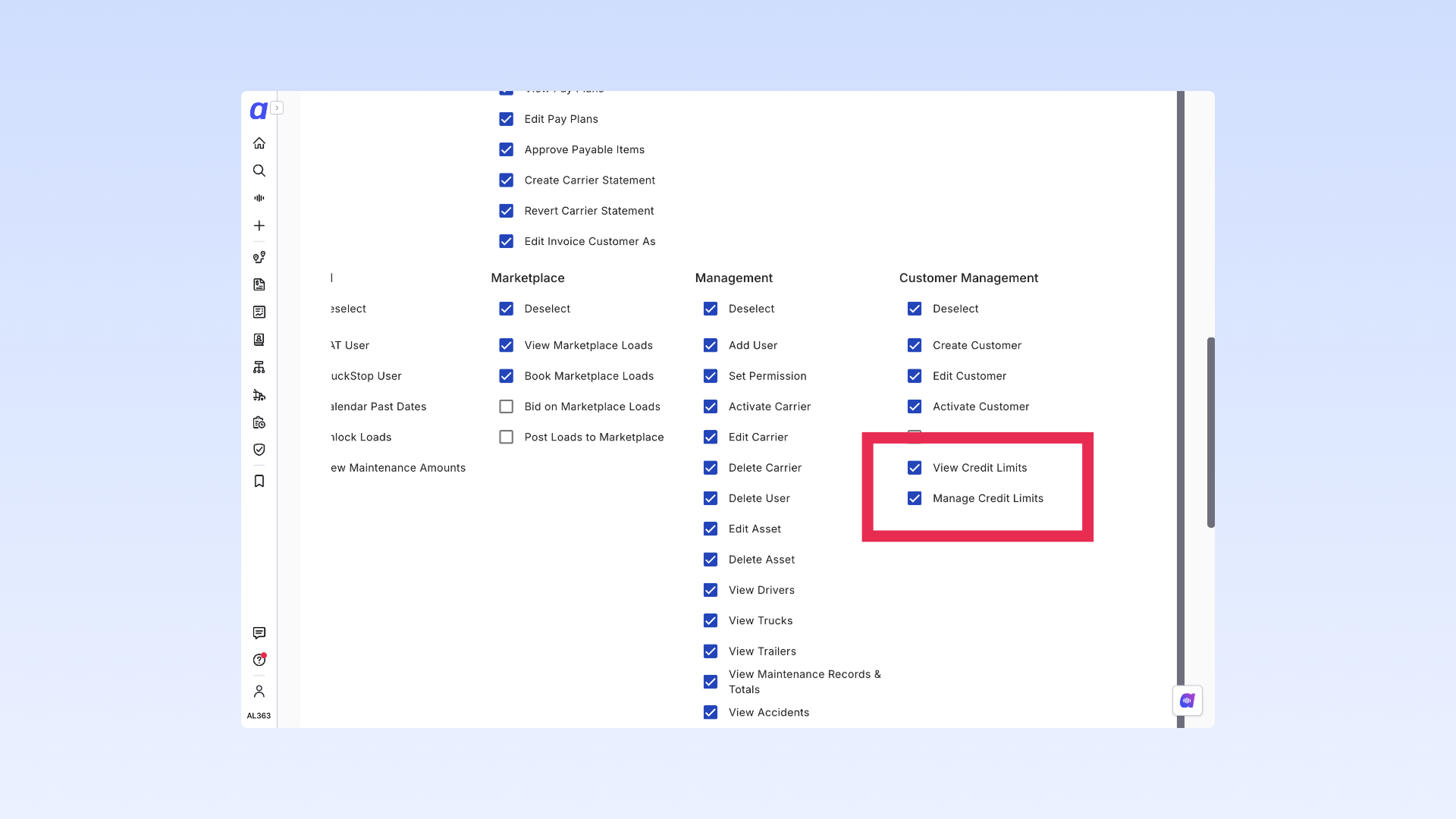
Access to the Credit Limits feature is controlled by two permissions. You can assign them to any role under your permission settings, giving you control over who can see credit information and who can change it. View Credit Limits This permission gives a user read-only access to customer credit information. Users with only this permission can monitor credit standing but cannot set or change any limits. Manage Credit Limits This is the full-access permission. In addition to everything included in View, it lets a user:- Set a credit limit on an individual customer profile
- Add a subsidiary-wide default limit in the settings area
- Edit or update existing limits
Two ways to set a credit limit
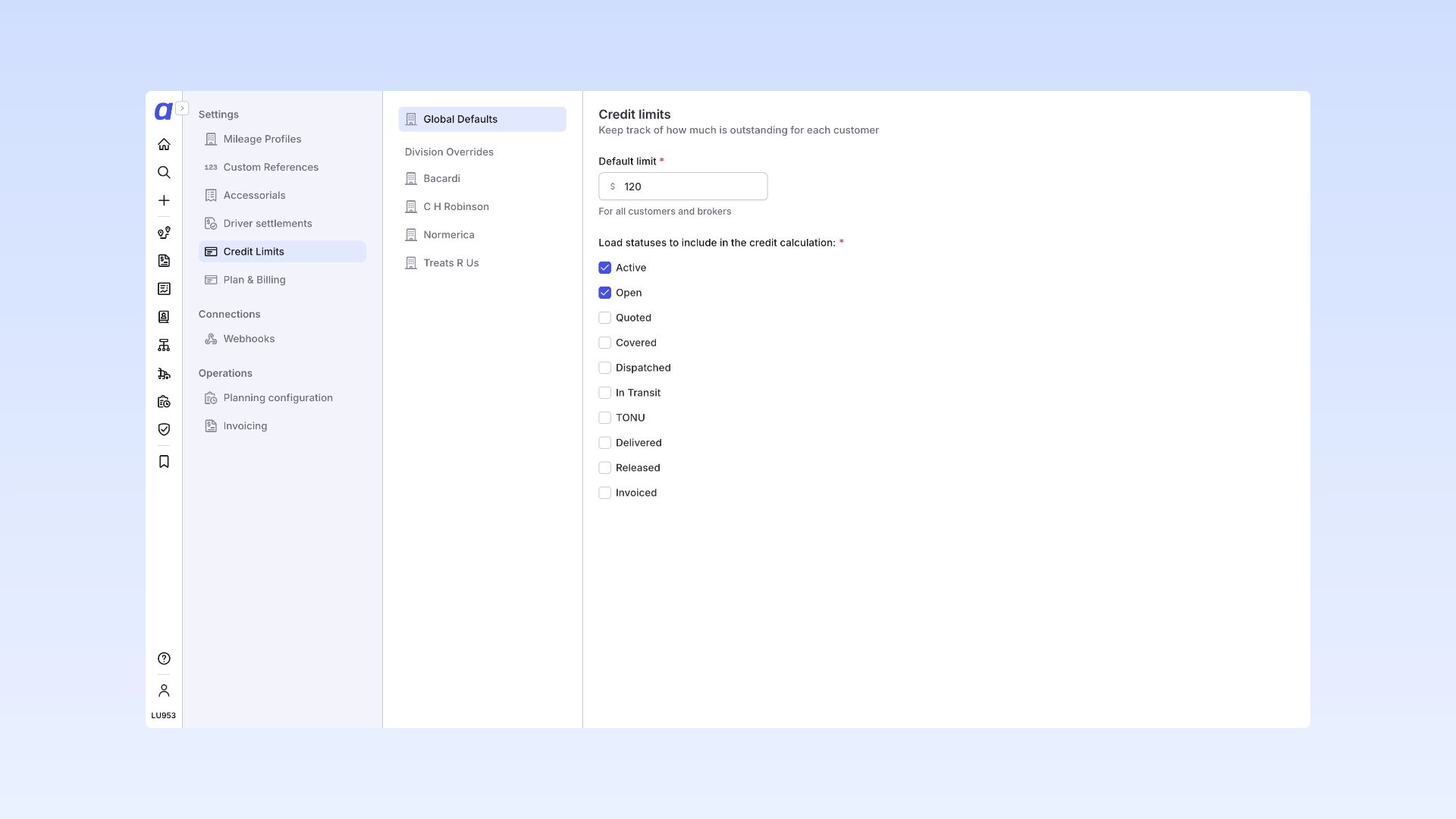 **Global and subsidiary limits: **From the settings area you can select credit limits and apply a limit across all customers within a subsidiary.
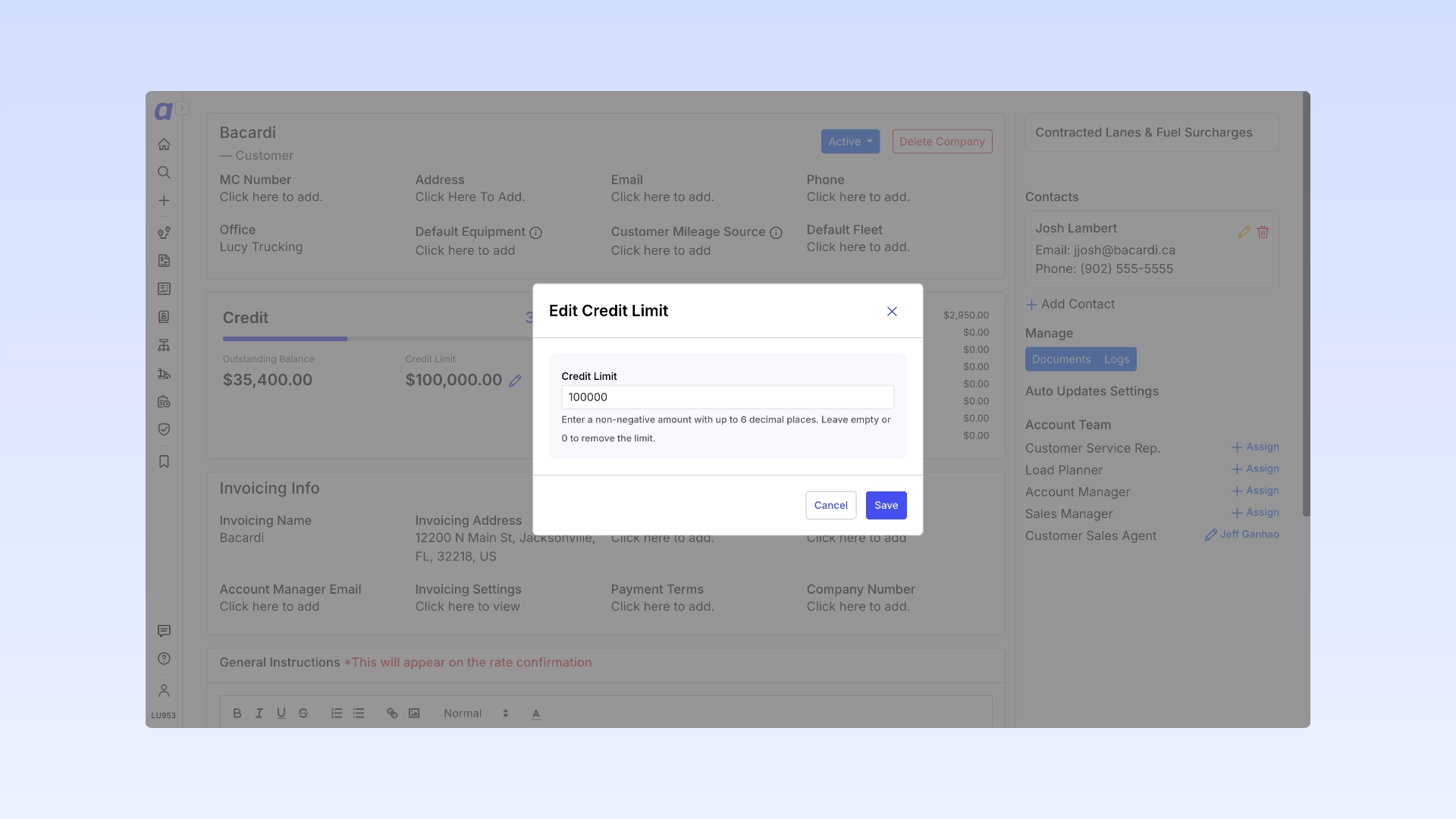 **Customer limits: **Open the customer’s profile and enter a dollar amount in the Credit Limit field. The field is editable inline by any user with the Edit Customer permission. A credit limit is optional. If you don’t set one, Alvys still shows the customer’s outstanding balance as a standalone figure — you just won’t see a progress bar or percentage.
Reading the Outstanding Balance
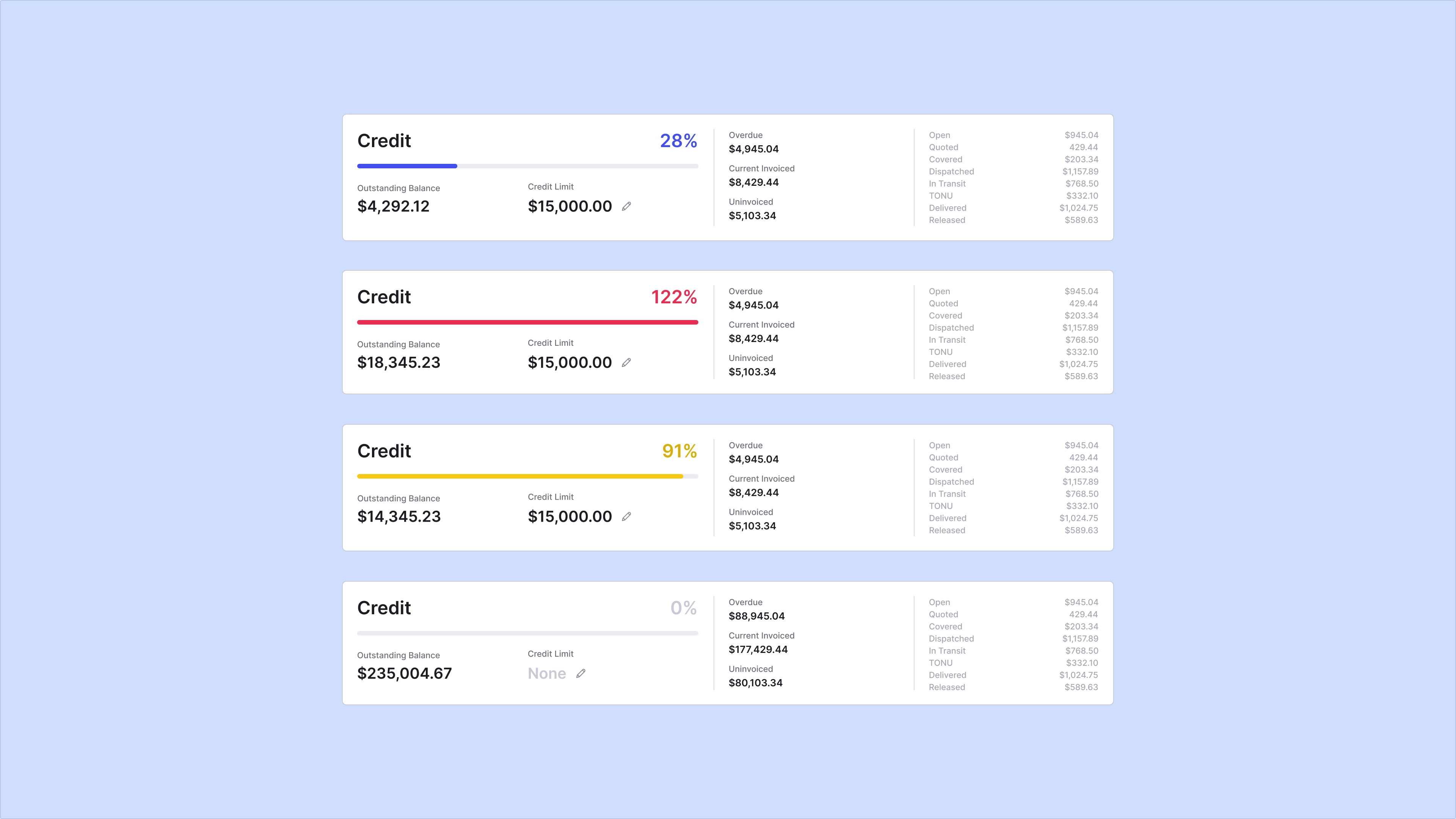 The outstanding balance reflects a customer’s true credit exposure — not just what has been formally billed. It combines:
- Overdue unpaid invoices — the remaining balance on invoices that are past their due date and not yet paid. Alvys displays this plain-language description next to the visualization: “Outstanding balance includes all overdue unpaid invoices (past due date based on net payment terms) plus the current revenue on any open, in-transit, or delivered loads not yet invoiced.”
- Revenue on un-invoiced loads — the current revenue (linehaul plus customer accessorials) on any open, in-transit, or delivered loads that have not been invoiced yet.
Where You’ll See It
Customer Profile
The credit limit field and the outstanding balance visualization appear on the customer profile, alongside payment terms in the credit section.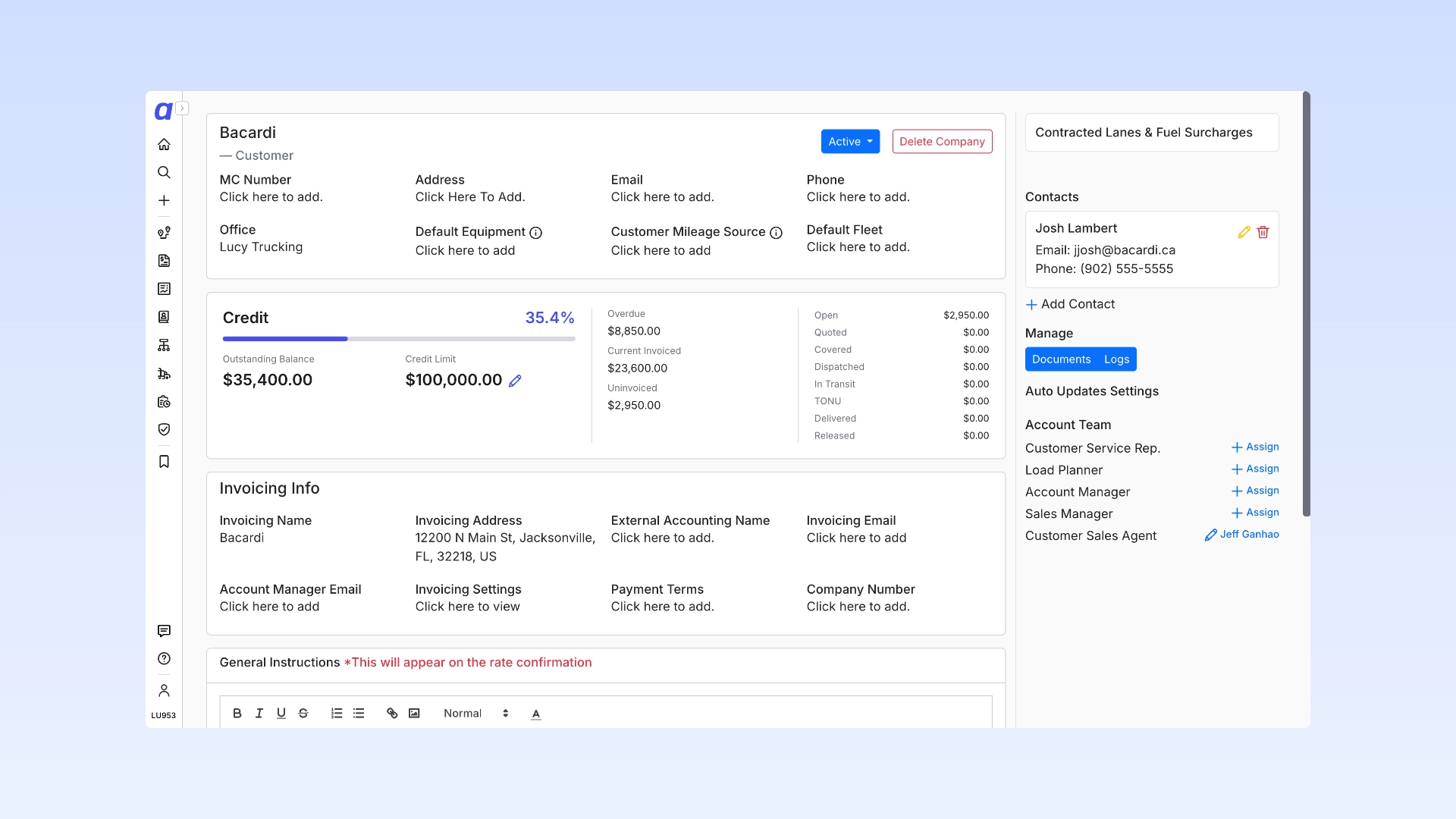
Load Details Page
The same visualization appears — read-only — directly below the customer name on the Load Details Page, so dispatchers see credit standing in context while working a load. No navigation required. A credit limit of $0 is treated as unconfigured. Alvys will show the standalone outstanding balance with no bar. Set a positive dollar amount to see the progress bar and thresholds.