
Overview
Default Equipment lets you pre-select a trailer type at the subsidiary level or on an individual customer profile so that loads are created with the correct equipment type automatically, reducing manual entry. Default Equipment is a trailer type pre-selection that Alvys applies automatically when a new load is created. You can configure it in two places: on a subsidiary (which applies to all loads created under that subsidiary) and on a customer profile (which applies to loads created for that specific customer). A customer-level default takes precedence over the subsidiary-level default. If a default has been set at both levels, the customer-level value is used. If neither level has a default set, the equipment type field is left blank on the load entry form and the dispatcher fills it in manually. Equipment length is not required when completing load entry.Where to Find It
Subsidiary-level default Open the navigation menu and go to Management > Company Profile. Select the subsidiary you want to configure. The Default Equipment field appears in the subsidiary settings.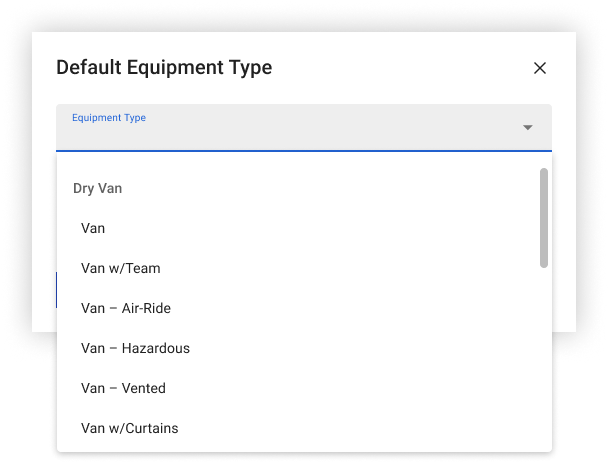 Screenshot showing the Default Equipment Type dropdown open with trailer type options
Customer-level default
Open the navigation menu and go to Companies. Find and open the customer record. Edit the customer profile. The Default Equipment field appears in the customer details section.
Screenshot showing the Default Equipment Type dropdown open with trailer type options
Customer-level default
Open the navigation menu and go to Companies. Find and open the customer record. Edit the customer profile. The Default Equipment field appears in the customer details section.
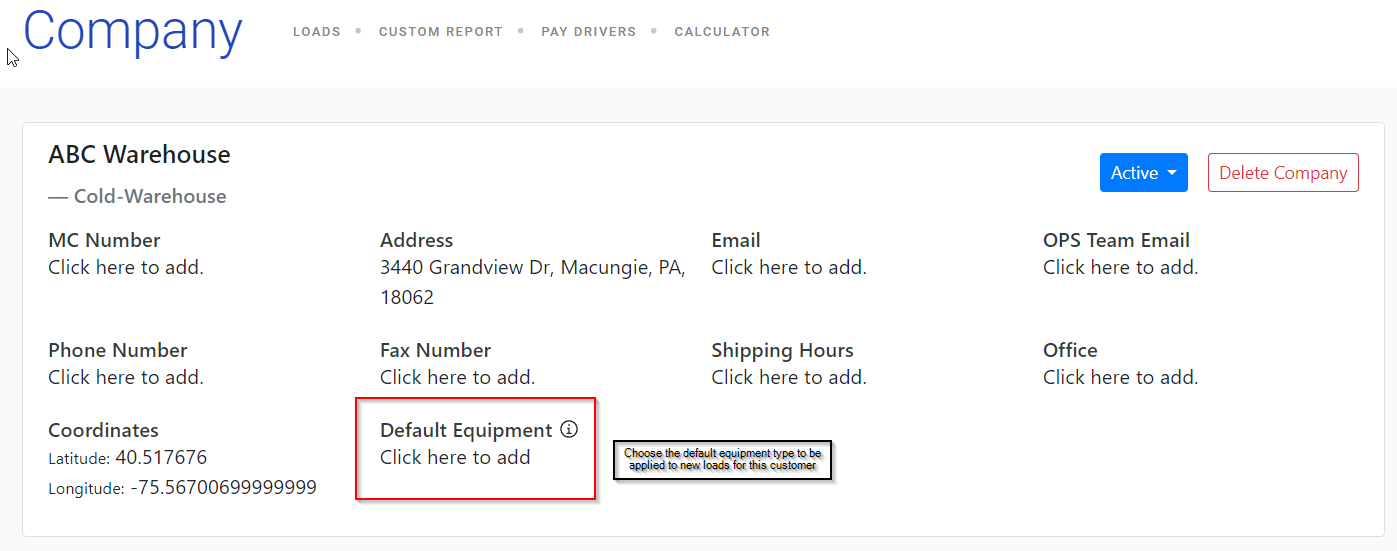 Screenshot showing the Default Equipment field on a customer profile
Screenshot showing the Default Equipment selection dropdown on a customer profile with trailer type options
Screenshot showing the Default Equipment field on a customer profile
Screenshot showing the Default Equipment selection dropdown on a customer profile with trailer type options