
📋 Applies to: Admins · Partner AdminsModule: Management > IntegrationsProvider: DAT Solutions · Integration type: One-way · Sync direction: Alvys to DAT, via FTP, daily automated submissionConnect your Alvys subsidiary to DAT Rate Sharing to automatically send daily rate data on invoiced loads to DAT via FTP. Participating carriers and brokers receive a discount and additional value from DAT in exchange for sharing this data. Also referred to as DAT rate submission or rate sharing integration.
Overview
DAT Rate Sharing (also called the DAT rate submission or rate sharing integration) is an automated daily integration. Once enabled for a subsidiary, Alvys generates a CSV report containing rate data from loads that were invoiced the previous day and uploads it to DAT via FTP each day at approximately 9:00 AM UTC. DAT offers a discount and additional value to carriers and brokers that share rates with them through this automated submission. Each subsidiary that participates has its own DAT account credentials.Prerequisites
Before enabling DAT Rate Sharing in Alvys, you need credentials from DAT. Contact your DAT Sales Representative and request the credentials required for FTP submission. Each participating subsidiary will need its own set of credentials:- DAT Account email: the email address of your main DAT account
- DAT Account ID: your unique account identifier from DAT
- FTP Username: provided by DAT
- FTP Password: provided by DAT
How to connect
- Navigate to the subsidiary integration settings. In Alvys, navigate to Management > Integrations. Open the settings for the subsidiary you want to enable DAT Rate Sharing for. Locate the DAT Rate Sharing integration section.
- Enter your DAT credentials: DAT Account email, DAT Account ID, FTP Username, and FTP Password.
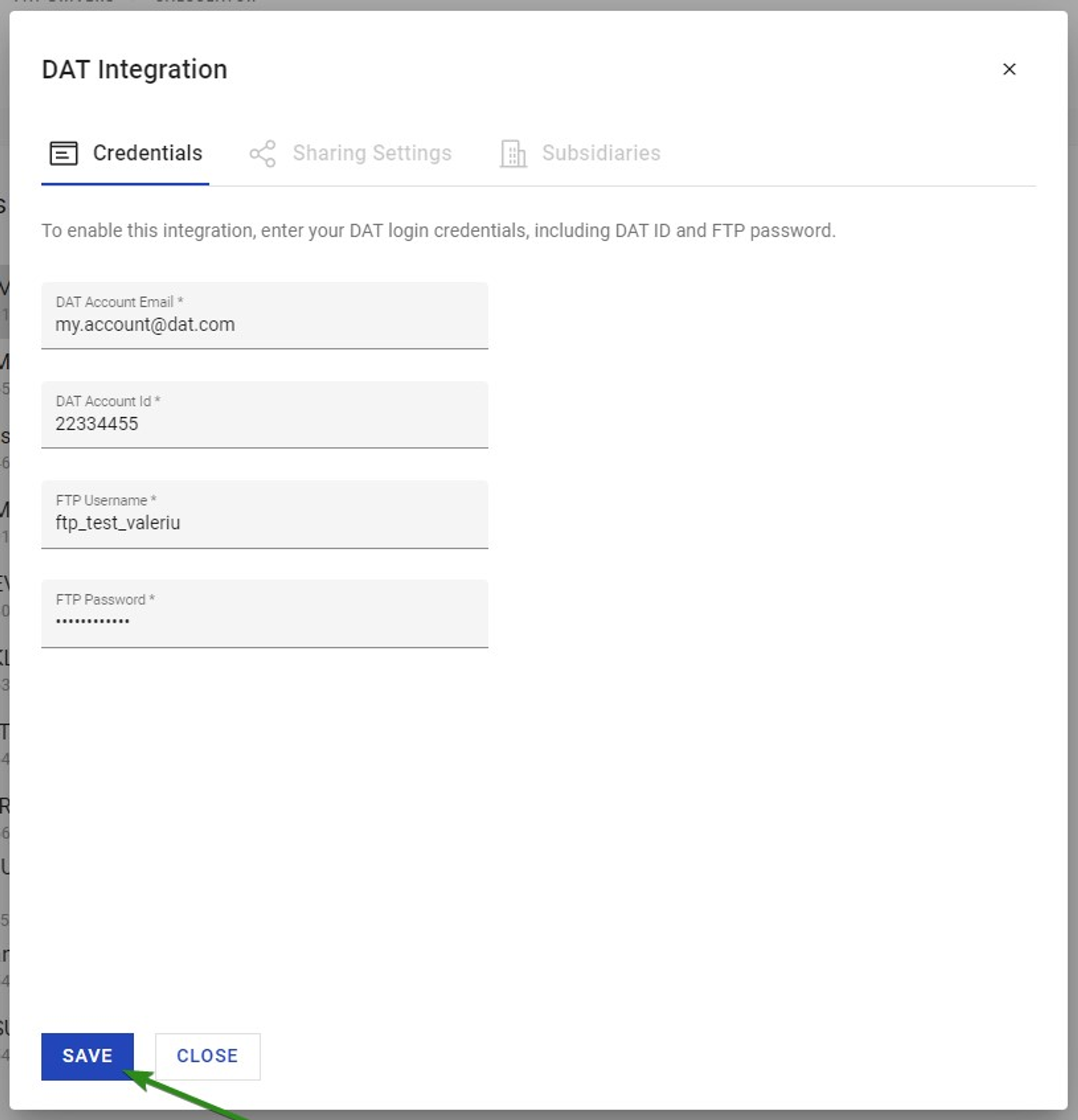 DAT Rate Sharing Integration Settings showing the Credentials fields (DAT Account email, DAT Account ID, FTP Username, FTP Password).
 - Configure the sharing settings. After entering your credentials, configure the required sharing settings for the subsidiary.
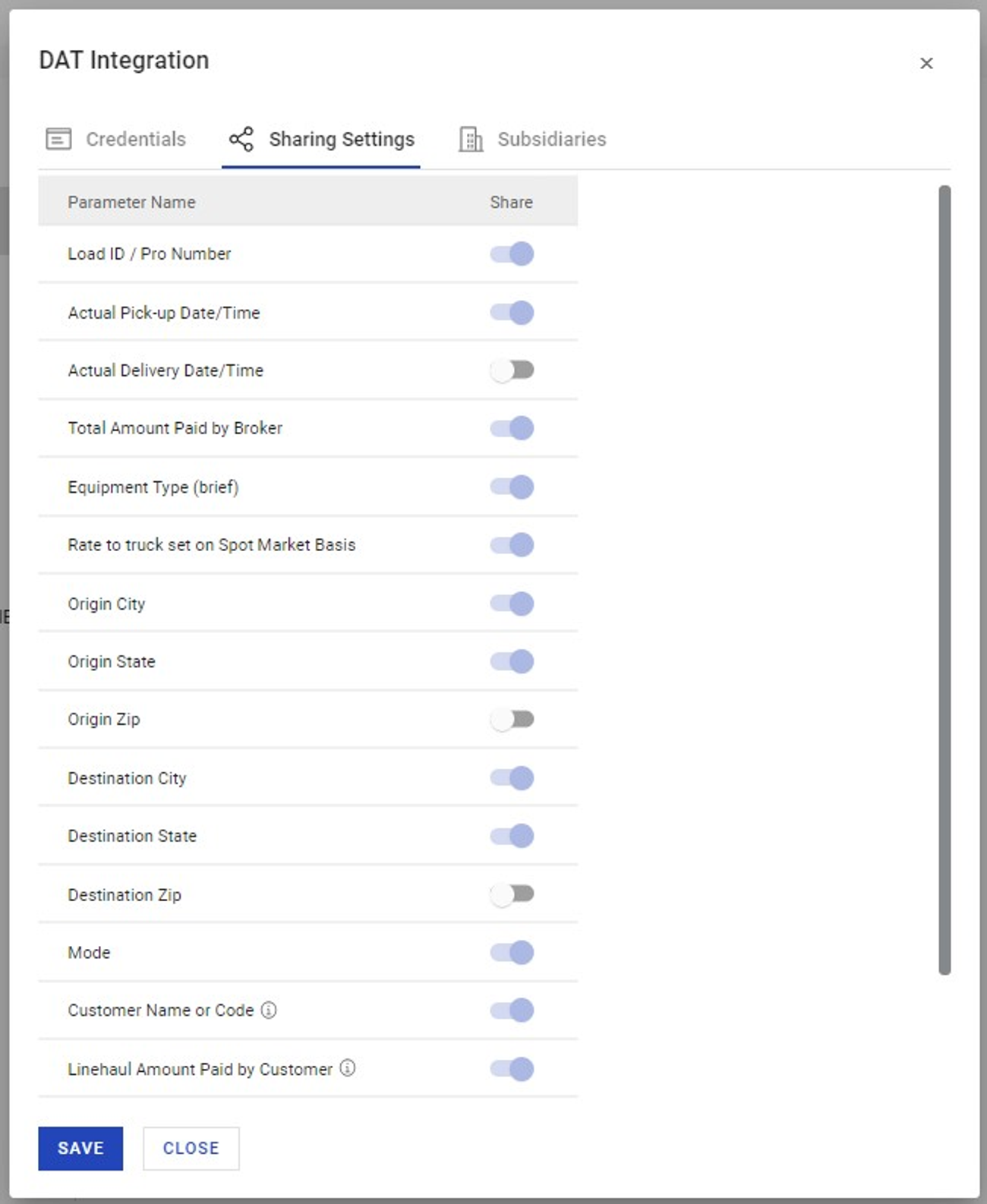 DAT Rate Sharing Integration Settings showing the Sharing Settings configuration options.
 - Activate the integration. Save your settings to activate DAT Rate Sharing for the subsidiary.
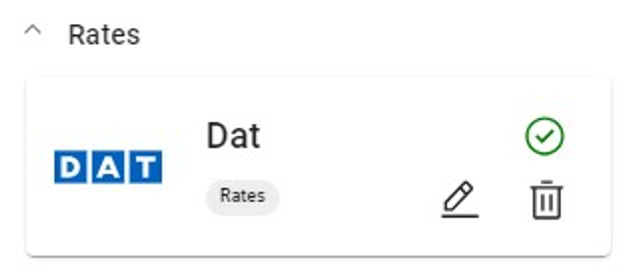 DAT Rate Sharing Integration showing the activated state.
What syncs
The integration generates a CSV file containing rate data from loads that were invoiced on the previous day. The file follows a strict format required by DAT. The specific fields included in the submission are determined by DAT’s rate sharing data format requirements. The integration runs once per day, at approximately 9:00 AM UTC. Alvys only generates and sends the file when there are loads that were invoiced the previous day. If no loads were invoiced the previous day, no file is sent that day. Each subsidiary that has DAT Rate Sharing activated sends its own file to its own DAT account via FTP. Sync is one-way: data flows from Alvys to DAT only. To verify the integration is working, confirm with your DAT Sales Representative that files are being received at the expected FTP destination. The integration runs daily, so allow until the next scheduled run (approximately 9:00 AM UTC the following day after a day with invoiced loads) to confirm the first successful submission.📋 Each subsidiary must be configured separately with its own DAT account credentials; there is no option to share credentials across subsidiaries. · The integration runs once per day; there is no option to trigger a manual submission or change the daily run time. · Only loads invoiced the previous day are included in each submission; historical load data cannot be submitted through this integration. · Sync is one-way: data flows from Alvys to DAT only. DAT data is not imported back into Alvys through this integration.
Troubleshooting
No data was received by DAT
- Confirm that loads were invoiced the previous day in Alvys for the subsidiary that has DAT Rate Sharing enabled. The integration only runs when there are invoiced loads from the prior day.
- Verify that the DAT credentials entered in Alvys match the credentials provided by your DAT Sales Representative exactly, including the FTP Username and FTP Password.
- Confirm the integration is in an activated state in Management > Integrations for the correct subsidiary.
- If credentials are correct, the integration is activated, and loads were invoiced the prior day but DAT still reports no data received, contact Alvys support with the subsidiary name and the date of the expected submission.
Credentials were updated by DAT
- Navigate to Management > Integrations and open the DAT Rate Sharing settings for the affected subsidiary.
- Update the FTP Username and/or FTP Password with the new credentials provided by DAT.
- Save your changes. The updated credentials will be used at the next scheduled daily run.