
Authentication
Create an Access Token Query:
- Open Power BI Desktop and go to Home > Transform Data.

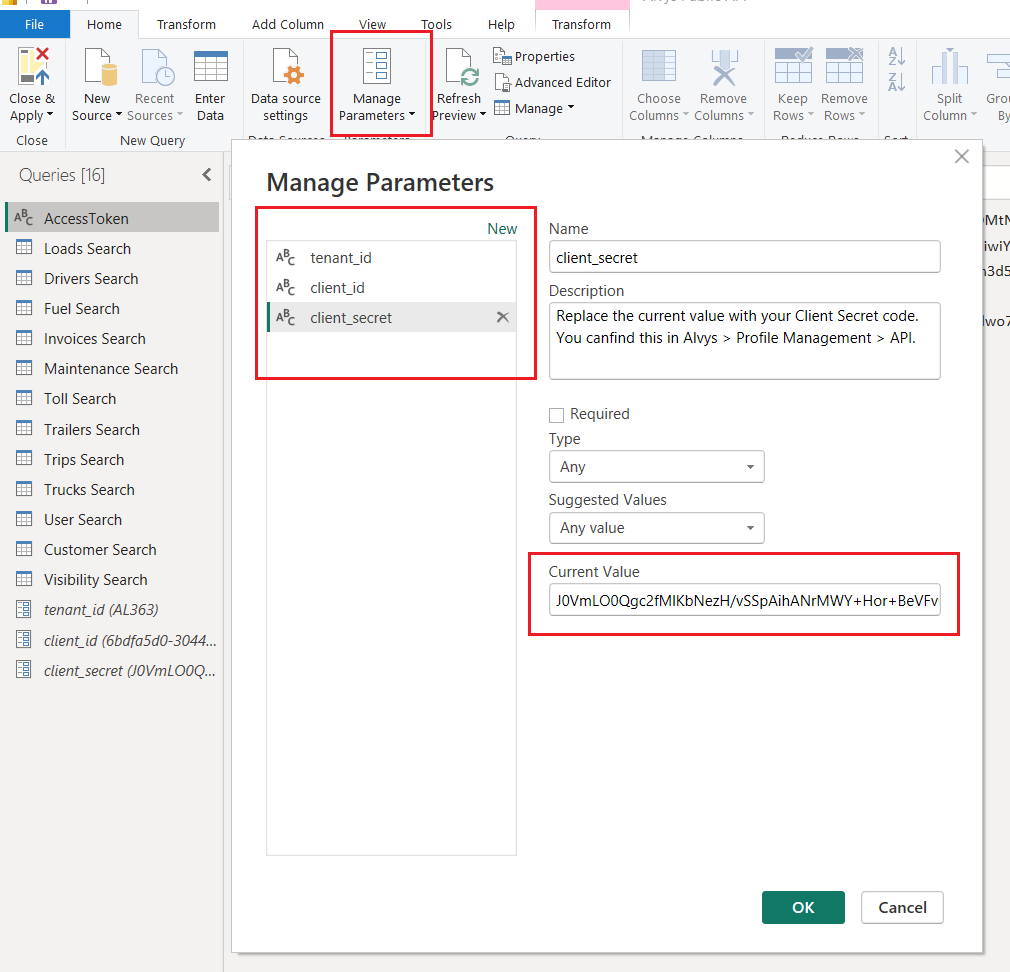
- In Power BI, go to the top ribbon, select Transform Data > Manage Parameters.
- Ensure You Have the Following Parameters:
client_id: The client ID provided by Alvys.client_secret: The client secret provided by Alvys.
- Create New Parameters if Not Present:
- If these parameters are not already available:
- Click New to create a new parameter.
- Use the exact names:
client_idandclient_secret.
- If these parameters are not already available:
- Replace the Current Value of each parameter with your respective credentials.
❗️ Important: Ensure the parameter names match exactly as defined here. If you use different names, you must update them in the AccessToken query accordingly.
- Once you’ve entered your credentials, click OK and then Close & Apply to save the changes.
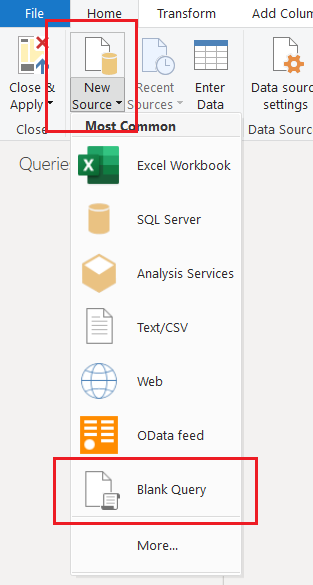
- Add a New Blank Query:
-
From the Ribbon: Go to Home > New Source > Blank Query.
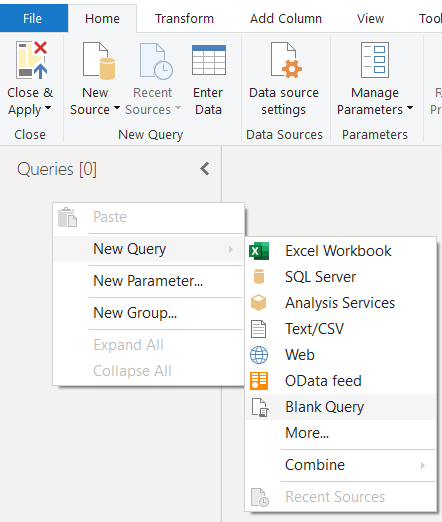
-
From the Queries Pane: Right-click on any existing query (or in the empty space under the list of queries) and select New Query > Blank Query.
- Rename the query to
AccessToken. In the Queries Pane, right-click on the newly created query and select Rename.
❗️ 📢 Use exactly this name. The name will be referenced by other queries that require this token for authentication.
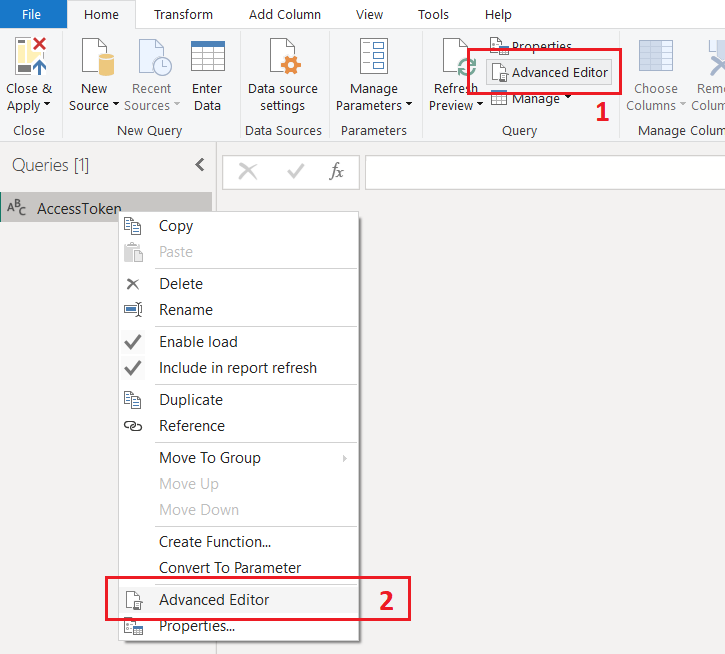
- In the Advanced Editor, add the code below.
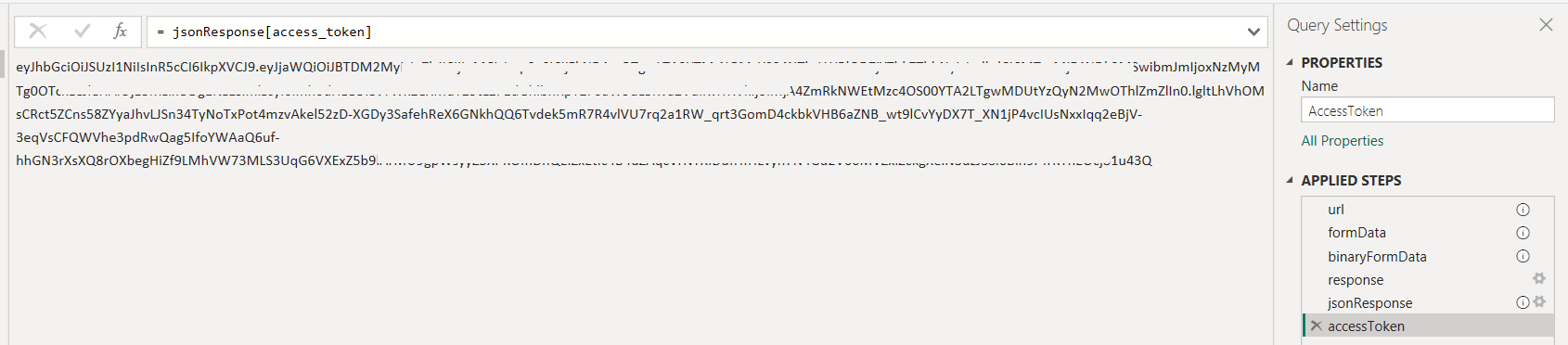
- Expected Result: The
AccessTokenquery will return theaccessToken, which can be dynamically used in other API queries.
Authentication and Global Permissions
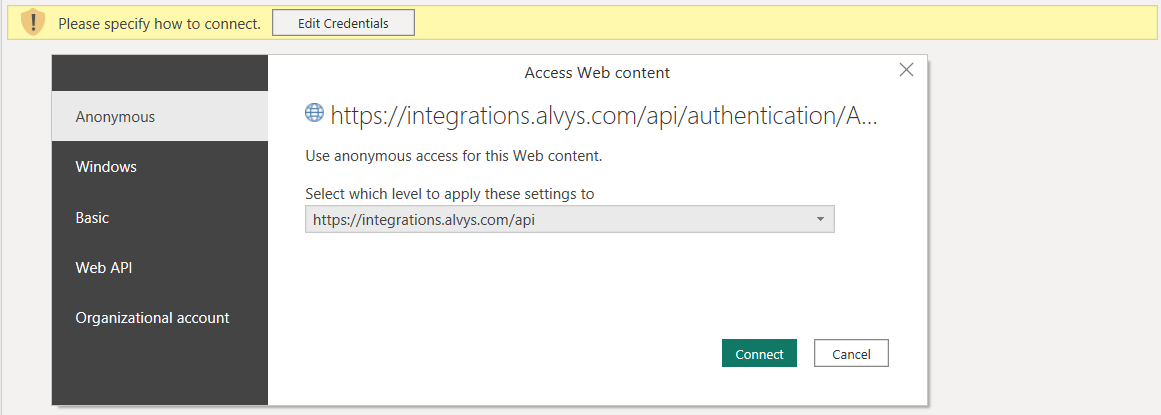
The first time you attempt to connect to the Alvys API in Power BI, you will be prompted to authenticate. Follow these steps to configure the required settings:- Choose Anonymous for the Web API connection.
- Click Connect. Once these settings are selected, click Connect to proceed.
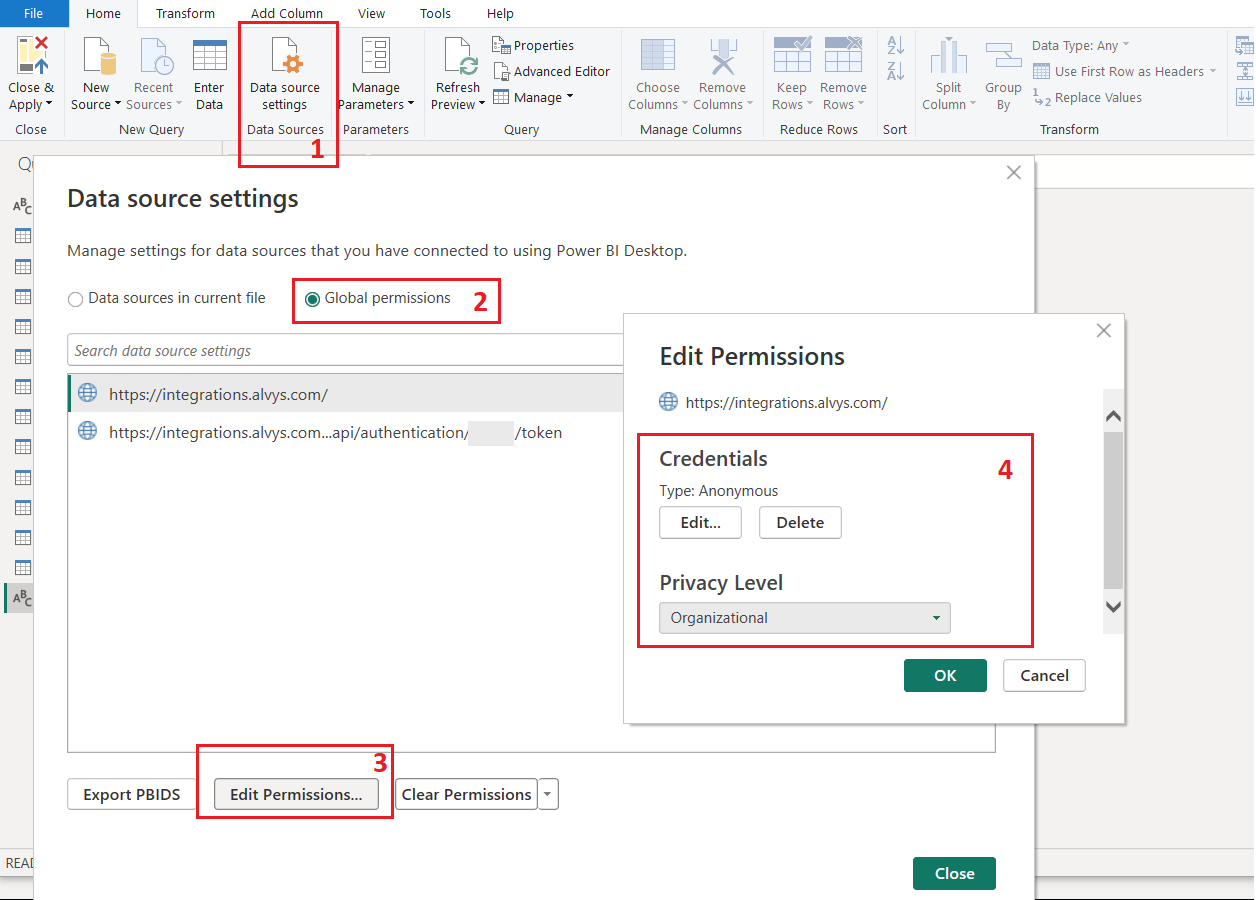
- Privacy Level: Click on the Data source settings > Global permissions > Edit permissions > in the Privacy Level dropdown, ensure the privacy level is set appropriately (e.g., Organizational or Public) for your environment.
Note: You might be prompted to repeat this process for other endpoints if they are accessed for the first time. Ensure the same settings are applied for consistency across all queries.