
Getting API Access
- Existing Alvys customers can obtain API access by contacting their account representative.
- Independent Software Vendors (ISV) should contact the Alvys Partnership team.
🔐 Creating Client Application Credentials
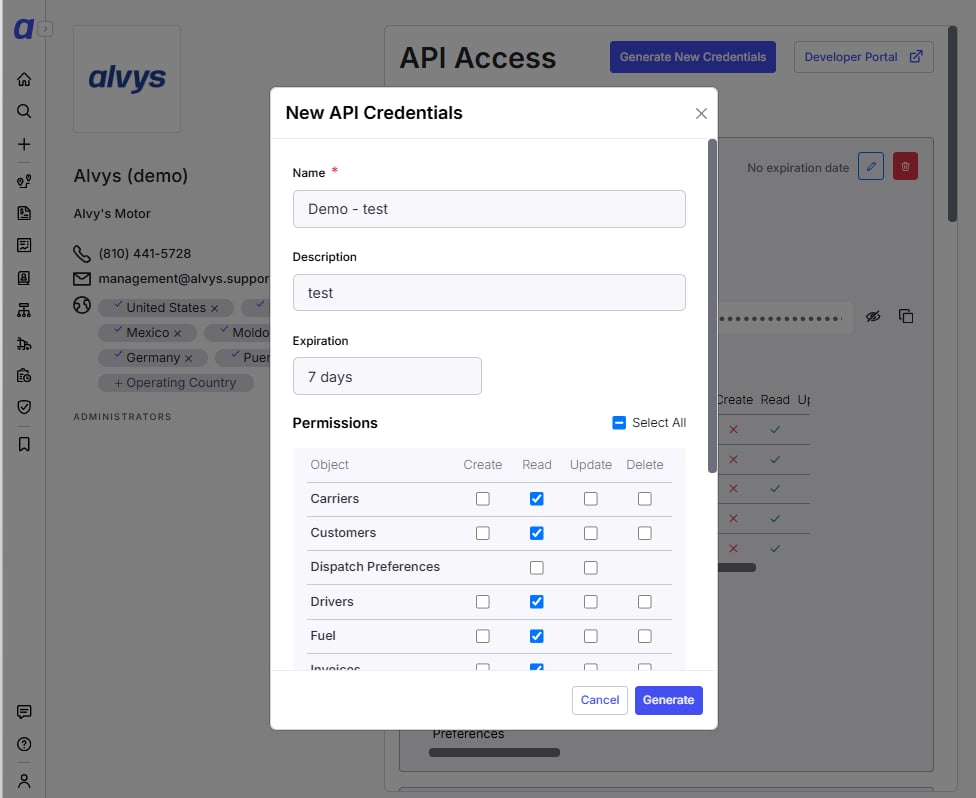
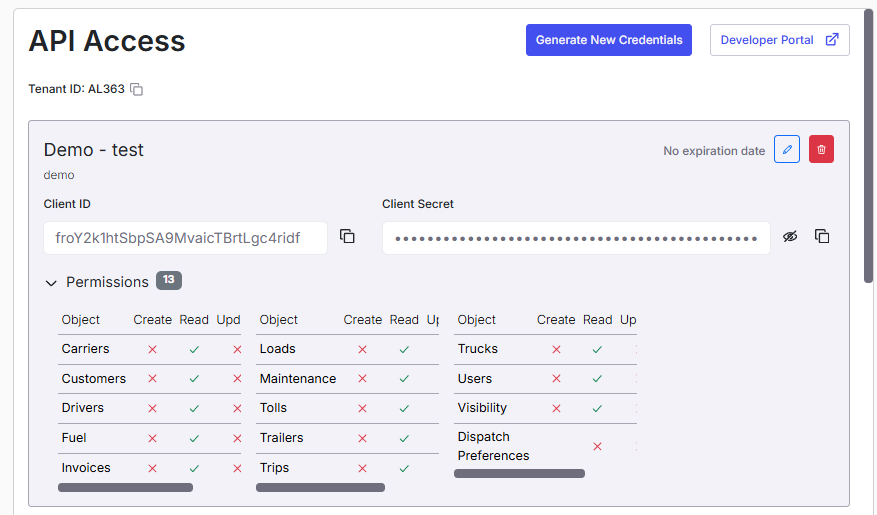
Follow these steps to create your credentials in the Alvys Admin Portal:- Navigate to Admin → API Access
- Click Create New Application
- Fill out the Name and Description
- Select your desired permissions (scopes)
- Set an optional expiration date for the credentials
-
Click Generate
Construct Authorization Request
Construct a URL with the following parameters in the request body:client_id: The unique identifier assigned to your application by Alvys.client_secret: The confidential token provided by Alvys upon application registration.audience: Must be"https://api.alvys.com/public/".grant_type: The type of grant flow to use. Must beclient_credentials
🔐 New Token Endpoint
All new token requests must now use the following endpoint:Token URL
Request Body (JSON)
Curl JSON Content-Type Example
Curl Form-Encoded Format Example
"load:read trip:create"), and our Public API enforces those scopes on every request. Use the resulting access token in your API request headers:
The client_id and `client_secret are created in the Alvys Admin Portal under API Access.
Postman Token Request Example:
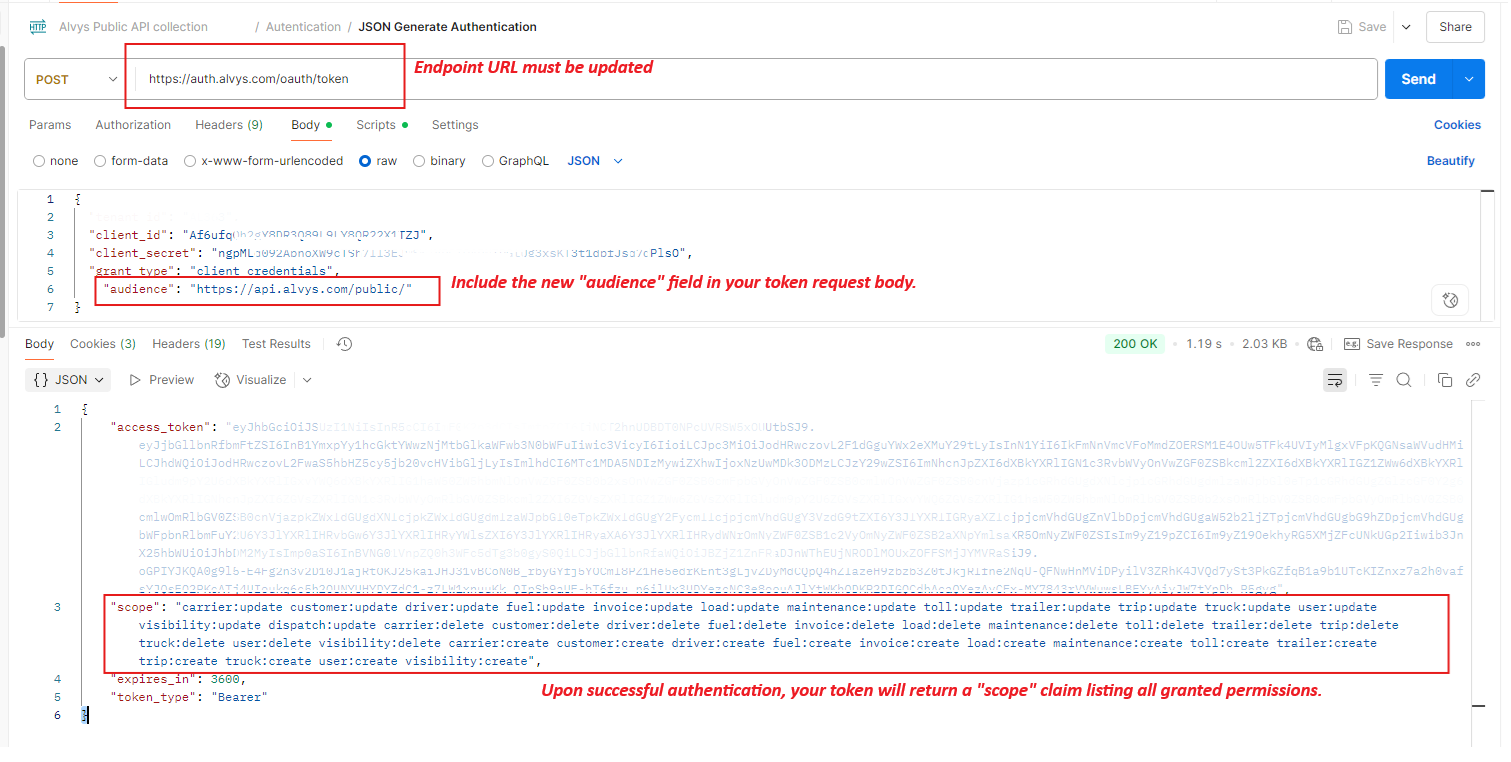
🔒 Scope Claim
New tokens now follow a fine-grained permissions model, ensuring each application only has access to the specific API features it was granted. Example:Available Scopes
🧪 Troubleshooting
- ✅ Double-check your
client_id,client_secret, andaudience - ✅ Ensure scopes are correctly assigned in API Access- Admin Portal
- ✅ Validate that the client is active and not expired
- ✅ Use only supported content types:
application/jsonorapplication/x-www-form-urlencoded - For technical support:
<support@alvys.com>