
Before you start
- You need the “ParticipateInTender” permission to see EDI Activity. If you do not see it, ask an Admin to check your permissions.
- EDI Activity is rolling out to accounts in stages. If your account does not have it yet, you will not see the tab.
- Have the partner’s Shipment ID or the load details ready, so you can find the message quickly.
Find the message
- Click your username in the bottom-left corner and select EDI & Visibility.
- Click the EDI Activity tab.
- Find the message by Customer, Transaction Type, or Shipment ID.
- Read Delivery Status on that row. Then follow the section below that matches it.
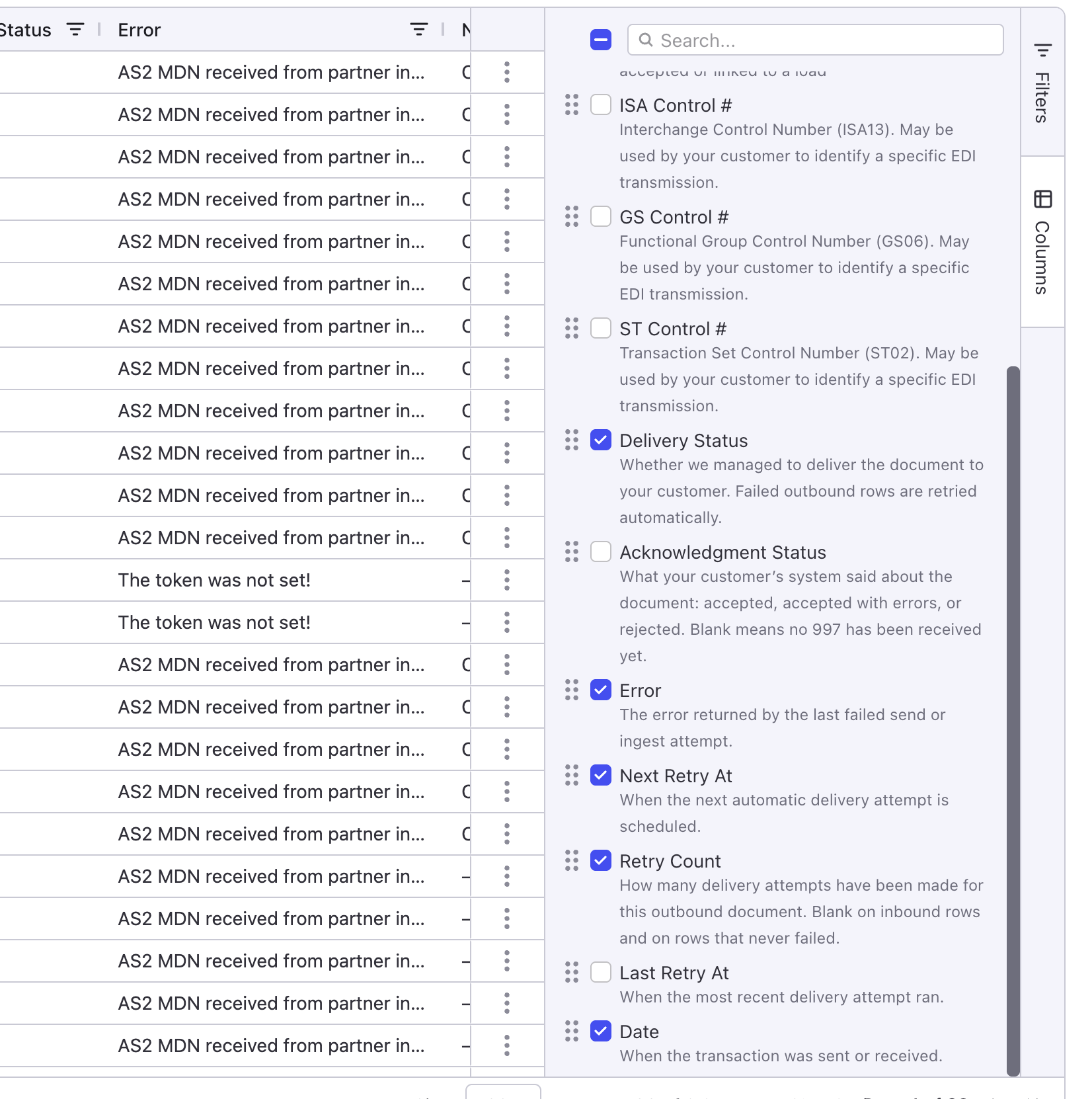 The Columns panel. Acknowledgment Status is off by default.
The Delivery Status is Delivered
Alvys sent the message and the connection did not report a problem. Now check what your partner’s system did with it.- Read Acknowledgment Status on the row.
-
Match it to one of these results:
The Delivery Status is Failed
Alvys could not deliver the message, so your partner did not receive it.- Read the Error column to see the reason.
- Check Next Retry At and Retry Count. Alvys retries failed messages automatically, so a retry may already be on the way. If Next Retry At is empty and the Error starts with “Automatic retries have ended”, Alvys has stopped trying and the message needs a resend.
- To send it now, click the three dots at the end of the row and click Resend. See How to resend a failed EDI delivery for the full steps.
- Check that Delivery Status changes to Delivered.
The Delivery Status is Pending
Alvys is still working on the message and has not finished sending it.- Check the row again later.
- If it stays Pending, see If none of this fixes it.
Confirm what Alvys sent
To show your partner exactly what was sent, download the EDI file.- Click the three dots at the end of the row, or right-click the row.
- Click Export EDI File.
- Send the file to your partner, or open it to check its contents.
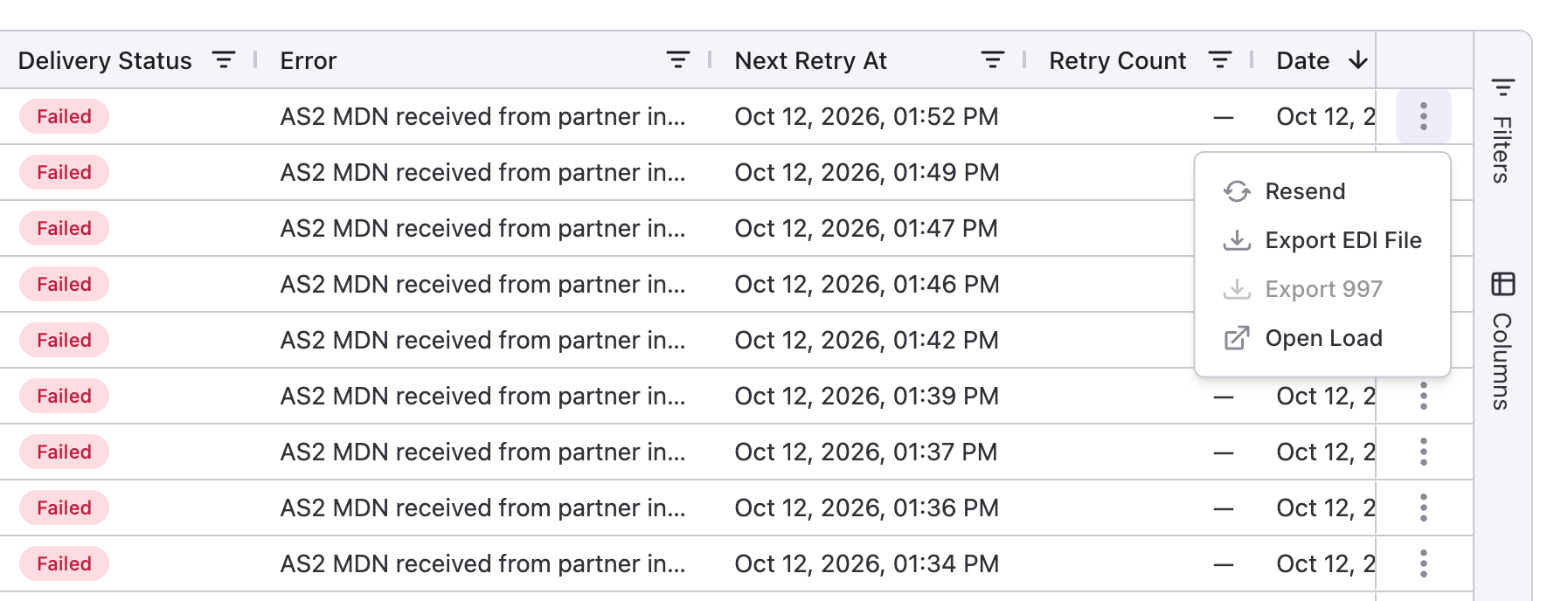 The row menu. Export 997 is greyed out when no reply has come back.
Download the 997
The 997 is your partner’s reply. It says whether they accepted the message and lists any problems.- Click the three dots at the end of the row, or right-click the row.
- Click Export 997.