
Invoicing Settings (also called billing configuration or invoice preferences) control how Alvys generates, delivers, and validates invoices across your company. Global defaults are set in Company Profile and can be overridden at the individual customer level.
Overview
Invoicing Settings (sometimes referred to as billing configuration, invoice rules, or invoice preferences) give Admins and Partner Admins control over how invoices are created and delivered. Company-level defaults apply to all customers unless a customer profile overrides them. Five configuration areas are available: Delivery Methods, Document Requirements, Invoice Type, AutoMerge, and the global Invoicing Settings toggle.Where to Find It?
Navigate to Settings > Invoicing (under the Operations heading) for **company-wide defaults. **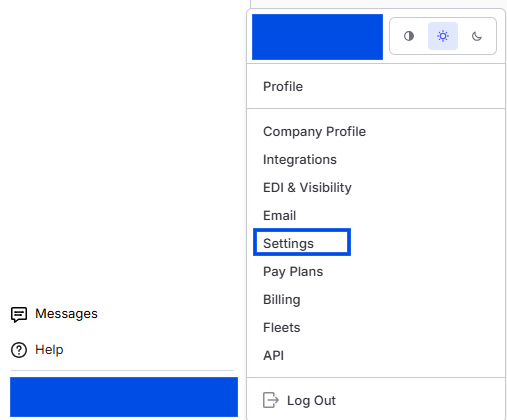 *Image showing navigation to Alvys settings page *
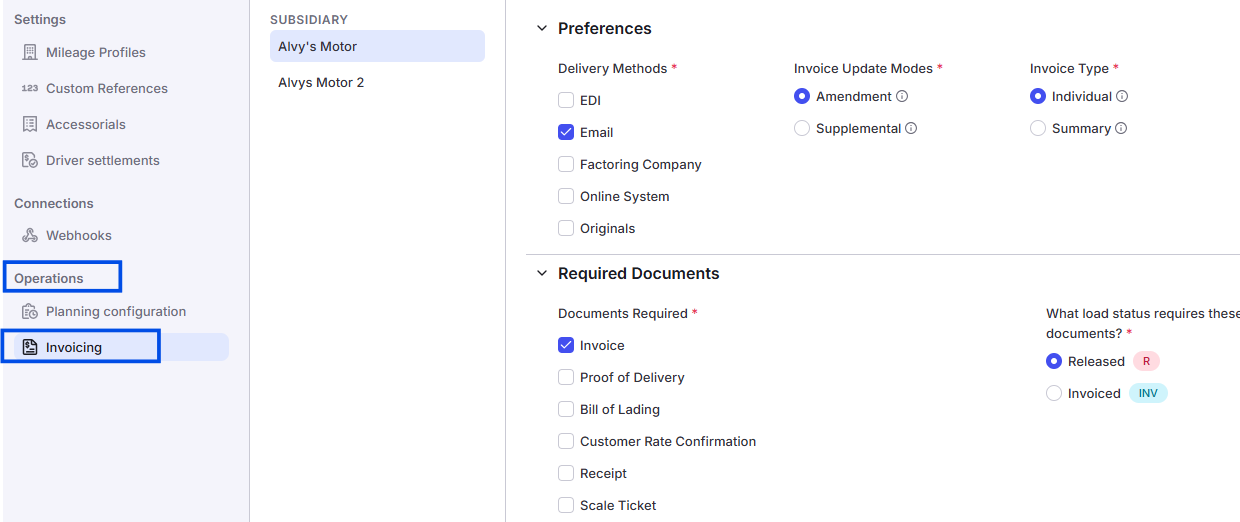 *Image showing the Invoicing settings page in the Company/Tenant profile with the five configuration areas. *
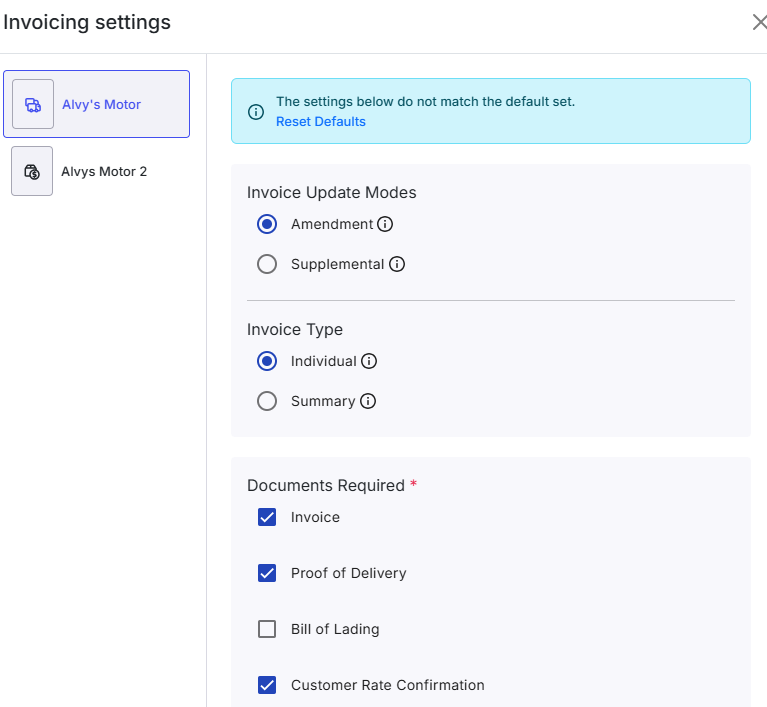 *Image showing the Invoicing settings page in the Customer/Broker profile with the five configuration areas. *
Key Concepts
- Delivery Methods: Controls how invoices reach the customer. Options are EDI, Email, Factoring Company, Online System, and Originals. Each method determines which integration or address Alvys uses when the invoice is sent.
- Document Requirements: Specifies which documents must be present on a load before an invoice can be generated. Requirements are set separately for the Released action and the Invoiced action.
- Invoice Type: Sets whether invoices are generated per load (Individual) or grouped into one periodic invoice per customer (Summary). See How to use Summary Invoicing for the full workflow when using the Summary type.
- AutoMerge: Automatically consolidates all loads for a customer into one invoice draft. AutoMerge is required when the customer’s Delivery Method is set to Factoring Company; it must be enabled for factoring customers to invoice correctly.
- Invoicing Settings toggle: When enabled at the company level, these settings apply as the default for all customers. Customer-level settings override the company default for that specific customer only.