
In November 2025 Alvys shipped Custom Trip References for tracking and reporting on the trip-level data your business cares about, and a Dispatch Planner sidebars update that makes driver and trip assignment decisions faster.
Overview
This release note covers the two features that went live in November 2025: Custom Trip References (Nov 26) and the Dispatch Planner Sidebars update (Nov 19).Loads & TripsAdded
Custom Trip References let you define up to 20 trip-level data fields and report on them from Load Details, the Trips Board and Custom Reports.
Custom Trip References for tracking trip-level operational data
Track the trip-level operational details that matter to your unique business. With Custom Trip References, your team can define, manage, and report on operational data exactly as you need it, with no more disparate spreadsheets and notes kept outside of your TMS.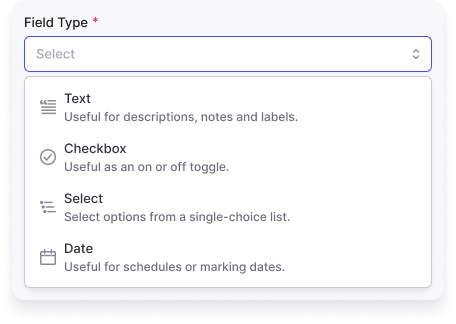
Loads & TripsChanged
Dispatch Planner rows open a sidebar in one click, defaulting drivers to the activity view so availability reads at a glance.
Dispatch Planner sidebars for faster assignment decisions
Make smarter assignment decisions with one click using the new Dispatch Planner sidebars. Managing dispatch just got simpler: with the new sidebar you can make faster, smarter assignment decisions without leaving the Dispatch Planner workflow.What is new:One-click access: Click any trip or driver row to instantly open sidebars, with no more hunting for buttons.Activity first: Driver sidebars now default to the activity view, so you see availability at a glance.Smoother workflow: Find drivers from a trip, or trips from a driver, without leaving the Dispatch Planner workflow.See how it works in the demo video.Learn more: Dispatch Planner