
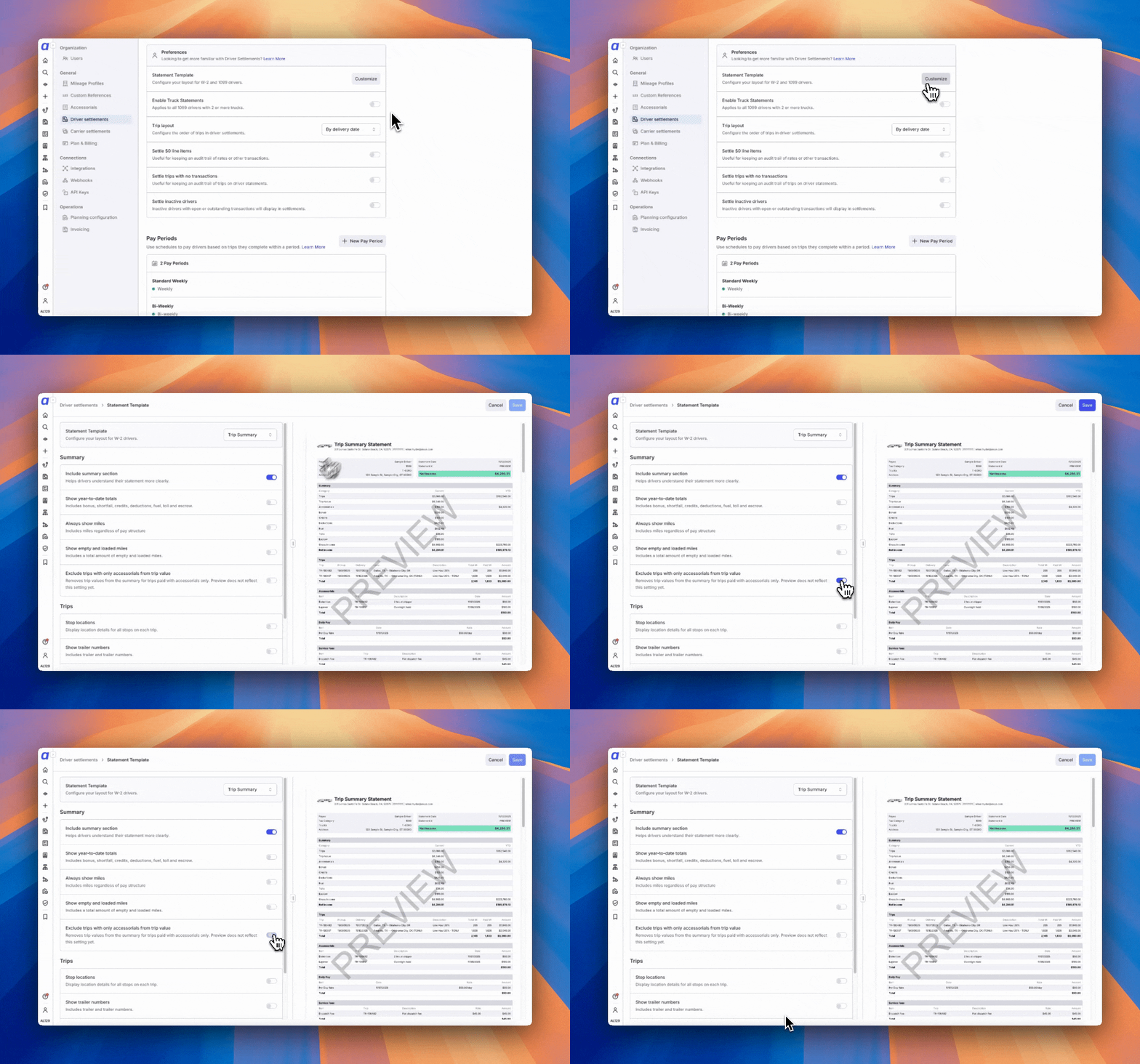
Show or hide trip value on statements
Trip value is controlled once for the whole company, in the driver statement template settings under the summary section, instead of on each driver. Turn Show trip value on to print trip value on driver statements, and leave it off to keep trip value off them. If trip value used to appear on your statements and no longer does, this setting is off. Accounts that already existed when the setting was introduced start with it off, so someone has to turn it on before trip value comes back. Check it before your next settlement run if your drivers expect to see trip value. Changing the setting applies to statements generated after the change. Statements that were already generated keep the trip value display they were created with. To bring an existing statement in line, revert it to draft and generate it again.This setting controls only what the driver sees on the statement. It does not change how driver pay is calculated, and percentage-based pay still uses the trip value.
Related articles
Driver settlements
Pay periods, driver rates, and the approve-to-generate workflow behind every statement.
Paystub layout templates
Choose the layout used for driver, owner operator, and truck statements.